Behavioral email triggers send messages based on user actions, making campaigns more relevant and effective. With email marketing delivering an average ROI of $36 for every $1 spent, choosing the right platform is essential. This guide compares five platforms - Customer.io, Klaviyo, ActiveCampaign, HubSpot, and Emercury - highlighting their strengths, pricing, and ideal use cases.
Key Takeaways:
- Customer.io: Best for SaaS with event tracking; robust segmentation but requires technical setup.
- Klaviyo: Tailored for ecommerce; predictive AI and real-time triggers, though costs can increase with list size.
- ActiveCampaign: Combines marketing and CRM automation; affordable but has a learning curve.
- HubSpot: CRM-focused with advanced workflows; great for B2B but expensive at higher tiers.
- Emercury: Simple email automation with strong deliverability; less complex but fewer native integrations.
Quick Comparison:
| Platform | Best For | Starting Price | Key Features |
|---|---|---|---|
| Customer.io | SaaS/event tracking | $100/month | Event-driven workflows, AI tools, custom objects |
| Klaviyo | Ecommerce | $20/month | Predictive AI, real-time triggers, strong Shopify ties |
| ActiveCampaign | B2B/CRM integration | $15/month | CRM updates, lead scoring, multichannel triggers |
| HubSpot | B2B/CRM-heavy workflows | Free to $890+ | Unified CRM, advanced workflows, Smart Content |
| Emercury | Email-first automation | $227/month | Looping logic, Smart Segments, no storage cap |
Each platform serves different needs. Think about your business type, technical expertise, and budget before deciding. For deeper insights, check out the Email Service Business Directory.
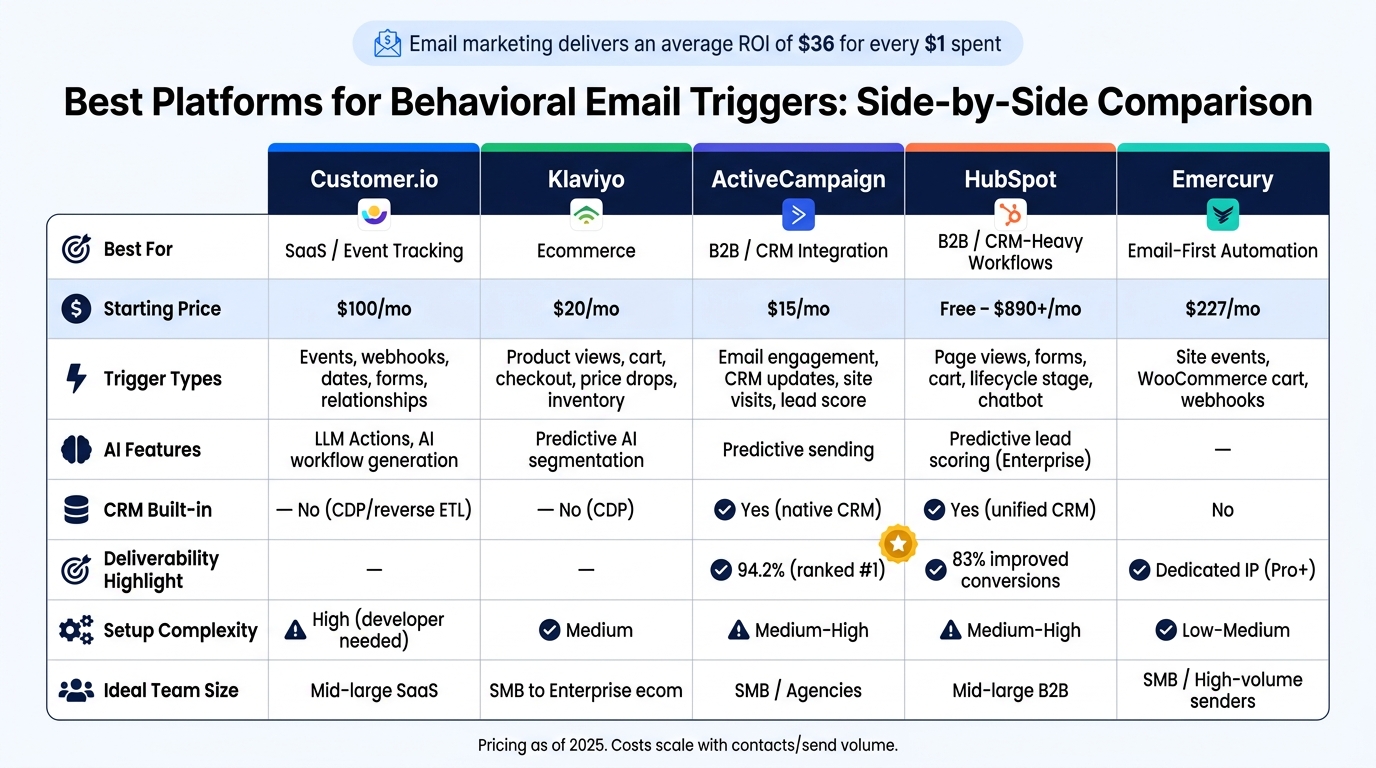
Best Behavioral Email Platforms: Side-by-Side Comparison 2025
Behavioral Triggers in Journey Builder | Use Behavioral Triggers in Marketing Cloud Engagement
sbb-itb-6e7333f
1. Customer.io
Customer.io is designed to send messages based on user actions rather than fixed schedules. This means campaigns can trigger from various inputs like events, dates, form submissions, webhooks, or even data relationships. It also supports pre-signup tracking, making it a flexible tool for businesses.
One standout feature is anonymous event tracking, which records user behavior before signup and updates it once the user is identified. For example, Notion used this functionality to create tailored onboarding experiences, resulting in an impressive 51% open rate.
The platform's segmentation capabilities go beyond the basics, allowing for custom objects and relationships, such as tracking the company a user works for or their subscription plan. Personalization is another strength: Liquid templating enables dynamic content, while LLM Actions can craft personalized subject lines or product recommendations in real time. Pricing is tied to the number of user profiles rather than email volume, which can affect costs based on audience size.
"I've never seen such robust segmentation and branching logic before."
- Madi Sacks, Director of Lifecycle Marketing
Pricing Plans
Customer.io offers three main plans, each tailored to different needs:
| Plan | Starting Price | Profiles | Notable Features |
|---|---|---|---|
| Essentials | $100/month | 5,000 | AI Agent, visual workflow builder, LLM actions, 1M emails/month |
| Premium | $1,000/month (annual billing) | Custom | HIPAA compliance, 90-day onboarding support |
| Enterprise | Custom Pricing | Custom | Dedicated hardware, priority support, dedicated CSM |
Ideal Use Cases
Customer.io is particularly well-suited for SaaS and product-led growth teams that already have event tracking systems in place and need to scale their messaging efforts. However, it may not be the best option for non-technical teams, as setup often requires developer assistance. Some users have also pointed out limitations in reporting and attribution capabilities.
For startups with limited funding, there’s good news: companies that have raised under $10 million can access up to 12 months of free usage through Customer.io's Startup Program.
2. Klaviyo
Klaviyo is a customer data platform (CDP) tailored for behavioral ecommerce automation. It brings together customer identities and behavioral data from stores, websites, and marketing channels. This setup allows automations to react instantly to actions like viewing a product, interacting with a cart, or moving through the checkout process.
Automation workflows, or "flows", can be initiated by various triggers, such as starting a checkout, viewing a product, or filling out a form. Other triggers include changes in lists or segments, specific dates, price drops, or low inventory alerts. Once a flow is active, Trigger Splits help you branch based on event-level details, like cart value, while Conditional Splits use profile traits, such as VIP status or purchase history. Additionally, Profile Filters continuously verify eligibility, ensuring customers are removed from flows like abandoned-cart sequences if they complete a purchase.
The platform has delivered impressive results for users. For instance, Every Man Jack credits 12.4% of its total revenue to Klaviyo’s predictive segmentation, which targets customers who are likely to buy again. Similarly, GourmetGiftBaskets.com achieved an 81x return on investment (ROI) by leveraging Klaviyo’s analytics for RFM segmentation and cohort analysis.
"We retarget people based on what they've clicked within an email... Through that we get really high open rates - around 60 percent - and also a really strong conversion rate." - John Pagni, Ecommerce Assistant, Edgewell
Pricing Plans
Klaviyo’s pricing depends on the number of active profiles in your account. Email-only plans start at $20 per month for 500 profiles, while combining email and SMS begins at $35 per month. However, as of February 2025, Klaviyo charges for all profiles in the account, including those that are unsubscribed, bounced, or suppressed. Maintaining clean lists can help manage costs.
| Active Profiles | Email Only (Monthly) | Email + SMS (Monthly) |
|---|---|---|
| 0–250 | Free (500 email sends) | Free (150 SMS/MMS credits) |
| 251–500 | $20 | $35 |
| 4,501–5,000 | $100 | $120 |
| 9,501–10,000 | $150 | $175 |
| 20,001–25,000 | $400 | $450 |
Klaviyo works best for B2C ecommerce brands, particularly those using Shopify or WooCommerce. However, businesses needing more extensive lifecycle automation that goes beyond ecommerce-focused triggers might want to consider other platforms.
3. ActiveCampaign
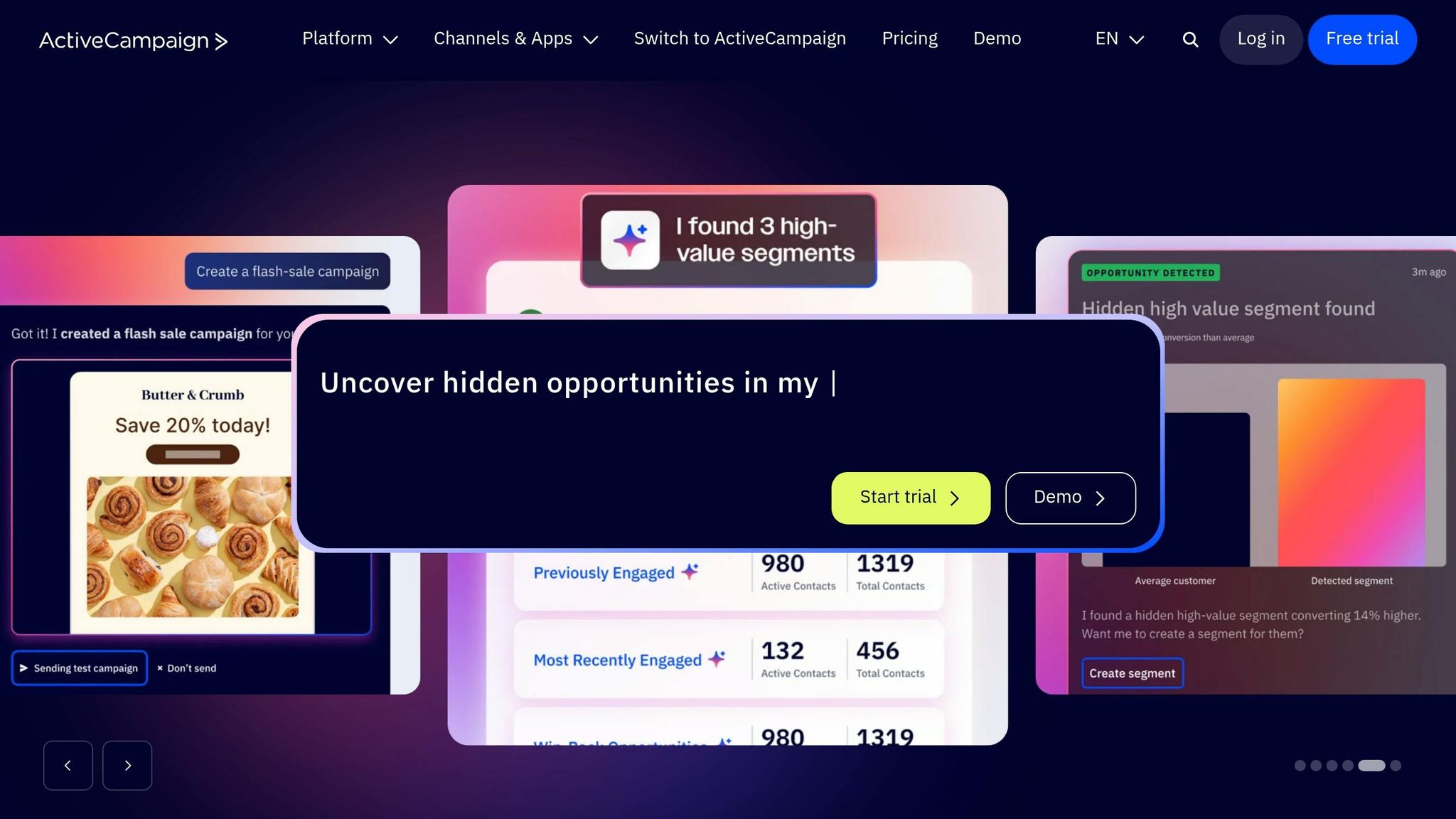
For teams looking for triggers tied to both marketing and CRM activities, ActiveCampaign offers a broader range of automation beyond just ecommerce.
ActiveCampaign is built with automation at its core. It uses triggers based on email engagement, website visits, custom app events, ecommerce actions, and CRM updates like deal stage changes or shifts in lead scores.
One of its standout features is conditional branching. Tools like Split & Conditional Actions and Goals allow you to guide contacts based on their behavior and move them to the next stage if they convert earlier than expected. For instance, if a contact clicks on a pricing page but doesn’t make a purchase within seven days, they can automatically be placed into a separate nurture sequence. The platform also boasts an impressive 94.2% deliverability rate, ranking first among 15 tools tested by EmailToolTester. This depth of triggers, paired with its alignment to sales workflows, makes ActiveCampaign an excellent choice for lead nurturing and CRM-integrated automation. It stands apart from tools like Customer.io, which focuses on event-driven SaaS automation, and Klaviyo, which is more tailored to ecommerce flows.
"We have a 26% abandoned cart recovery rate... ActiveCampaign is the key ingredient to keep us in contact with the customer." - Mike Morrow, Owner, Morrow Audio
Pricing Plans
ActiveCampaign’s pricing adjusts based on the number of contacts, offering flexibility for businesses of different sizes. Here's a breakdown:
| Plan | Price/Month | Key Behavioral Features |
|---|---|---|
| Starter | From $15/month | Email automation, website tracking, basic triggers |
| Plus | $49/month for 1,000 contacts | Multichannel automation, CRM, lead scoring |
| Professional | $149/month for 1,000 contacts | Predictive sending, split automations, custom event tracking |
| Enterprise | Custom pricing | Premium triggers, custom reporting, HIPAA support |
A 14-day free trial is available - no credit card required. Additionally, nonprofits can benefit from a 20% discount. ActiveCampaign is particularly well-suited for SMBs in B2B, SaaS, agencies, and service-based industries, offering advanced automation features at a reasonable price.
Next up, HubSpot takes a wider CRM-focused approach to behavioral automation.
4. HubSpot Marketing Hub
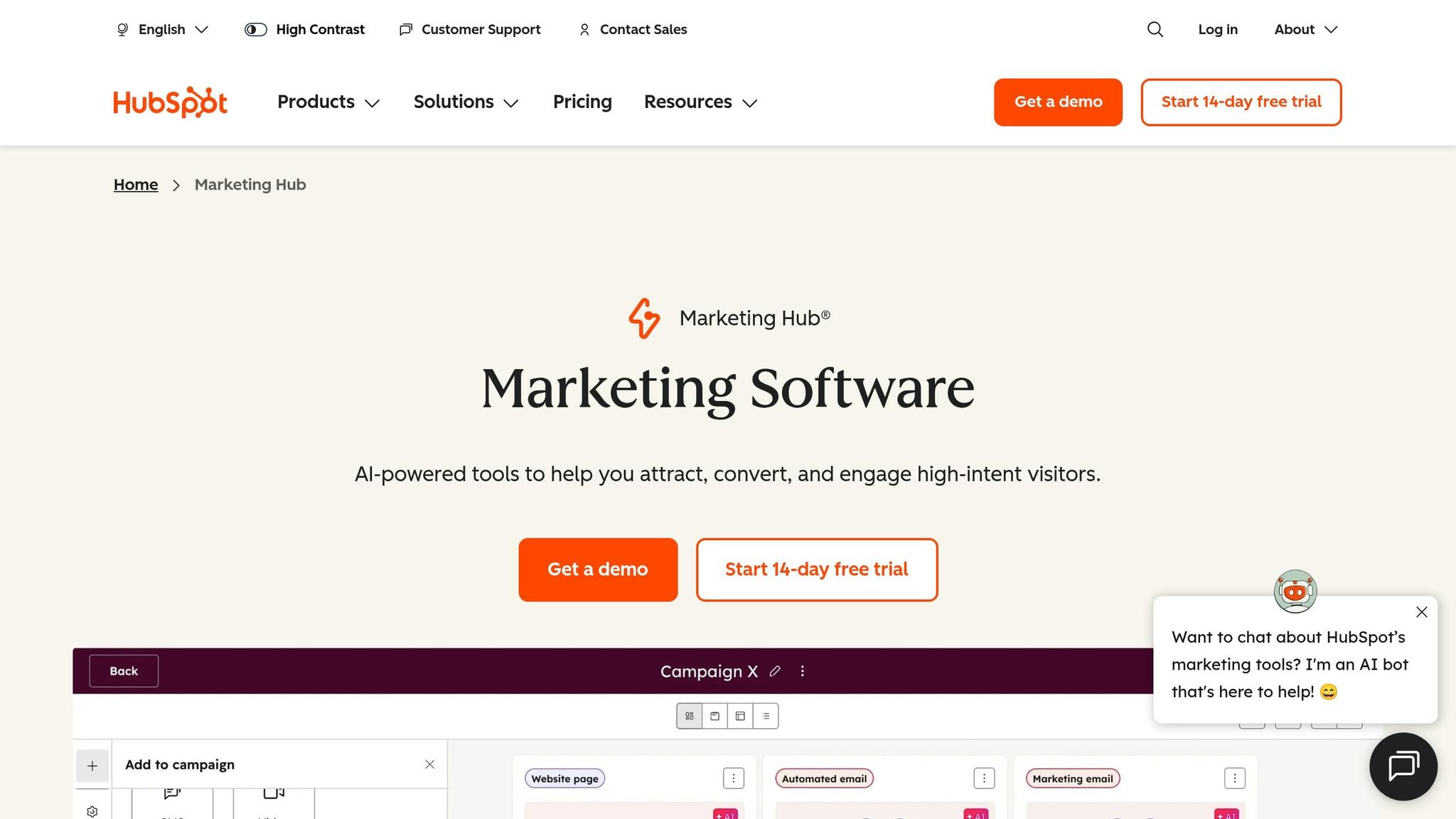
HubSpot takes an interesting approach by shifting from email-first automation to a system built around a shared CRM record. Essentially, every interaction - whether it's a page view, form submission, deal stage update, or email engagement - gets tied to one unified contact record. This setup ensures marketing, sales, and service teams are all working off the same data, making it a great fit for teams that need tight collaboration.
Some of the key triggers include email engagement, page views, form submissions, chatbot interactions, cart abandonment, and lifecycle-stage updates. At the Enterprise level, users can even define custom behavioral events for deeper insights. HubSpot also integrates with Sales Hub and Salesforce, allowing high-intent actions to trigger alerts or tasks for the sales team.
"HubSpot was designed from day one to align marketing and sales around the same contact record. When marketing captures a lead through a form, sales sees the entire engagement history before the first call." - Tim Ritchie, CEO of Integrate IQ
Smart Content is another standout feature, enabling personalization based on list membership, lifecycle stage, device type, or referral source. While the Starter plan limits workflows to 10 actions per trigger, the Professional and Enterprise tiers offer more advanced multi-branch automation. According to HubSpot, 83% of users report improved conversion rates.
That said, pricing at the higher tiers can be a hurdle. Both the Professional and Enterprise plans come with mandatory onboarding fees, which can add up quickly.
| Plan | Price/Month | Key Behavioral Features |
|---|---|---|
| Free | $0 | Basic email automation, forms, landing pages |
| Starter | From $20/month | Simple workflows, basic triggers |
| Professional | From $890/month | Advanced workflows, Smart Content, A/B testing, lead scoring |
| Enterprise | From $3,600/month | Custom behavioral events, predictive lead scoring, multi-touch attribution |
Note: Professional and Enterprise tiers require one-time onboarding fees of $3,000 and $7,000, respectively.
HubSpot is an excellent choice for B2B companies with longer sales cycles and teams that need strong alignment between sales and marketing. If you're looking for CRM-connected automation rather than just basic email triggers, the Professional plan is a solid option.
For those needing simpler, email-focused automation, the next platform offers a more straightforward solution.
5. Emercury
If you're looking for email-first automation without the complexity of a CRM-heavy setup, Emercury might be just what you need. This platform emphasizes behavioral triggers, customizable workflows, and deliverability support to keep your email campaigns on track.
Emercury's standout feature is its Journey Builder, a visual automation tool designed for multi-step sequences. One of its key components, the "Go To" module, allows subscribers to loop back into earlier steps. This means non-converters can re-enter a journey without requiring a separate workflow setup.
The platform shines even more when paired with real-time segmentation. With Smart Segments, contacts are automatically added or removed as they meet (or stop meeting) your criteria. This ensures your lists stay dynamic and relevant.
Emercury also supports a variety of behavioral triggers, including site event tracking, WooCommerce cart abandonment, and webhooks that sync real-time data from CRMs and other apps. Plus, you can enroll both new and existing subscribers into multi-step behavioral sequences, offering flexibility for ongoing campaigns.
Pricing and Plans
Emercury’s pricing is based on send volume rather than just list size, giving you the option of subscriber-based or CPM pricing. Importantly, there’s no cap on contact storage. Here’s a breakdown of their core paid tiers (billed annually):
| Plan | Starting Price/Month | Send Volume | Notable Features |
|---|---|---|---|
| Grow | $227 | Up to 500,000/mo | Site & Event Tracking, A/B Testing, 1 Smart Segment, 200+ integrations |
| Pro | $687 | Up to 1,500,000/mo | Dedicated IP, Delivery Analyst, Customer Success Manager |
| Scale | $1,167 | Up to 2,000,000/mo | 20 Smart Segments, Email Audits, Priority Support, 3 monthly trainings |
For those who want to test the waters, Emercury offers a Forever Free plan that lets you explore core features without needing a credit card. Additionally, non-profits can take advantage of a 15% discount on all plans.
Emercury is a strong fit for WooCommerce stores, B2B teams, and high-volume email senders who need reliable deliverability support. Whether you're managing cart abandonments or fine-tuning behavioral workflows, this platform offers the tools to get the job done.
Pros and Cons by Platform
Here's a quick comparison of trigger depth, setup effort, and pricing models for various email marketing platforms. This table highlights the strengths and trade-offs for each, giving you a fast side-by-side view of their behavioral trigger depth and cost dynamics.
| Platform | Pros | Cons |
|---|---|---|
| Customer.io | Event-driven workflows; multi-channel messaging; AI workflow generation; built-in CDP/reverse ETL | High entry price; developer-heavy setup; basic email designer; usage-based billing |
| Klaviyo | 40+ triggers; predictive AI; real-time attribution; strong free tier | Costs scale quickly with list growth; interface can overwhelm non-ecommerce users |
| ActiveCampaign | 900+ workflows; visual builder; native CRM; low entry price | Steeper learning curve |
| HubSpot Marketing Hub | Unified email, CRM, and sales automation | Significant onboarding fees; high costs at scale; excessive for email-only use cases |
| Emercury | Journey Builder with looping logic; real-time Smart Segments; volume-based pricing with no contact storage cap | Fewer native integrations than larger platforms; limited advanced CRM features |
Conclusion
These tools each cater to specific needs: Customer.io fits well with technical SaaS teams, Klaviyo shines for ecommerce businesses, ActiveCampaign is ideal for CRM-driven B2B automation, and HubSpot suits teams looking to integrate email and sales data into one platform.
Beyond their use cases, pricing plays a key role in decision-making. When evaluating options, consider your business model, technical capabilities, and how costs scale. It's wise to model pricing at different contact levels - 10,000, 25,000, and 50,000 - before making a commitment.
For a streamlined way to begin your search, check out the Email Service Business Directory. This resource allows you to compare options and refine your choices effectively.
FAQs
Which platform is easiest to set up?
Loops stands out as one of the simplest platforms for setting up behavioral email triggers. It’s designed to be developer-friendly, making event-triggered sequences a breeze. For those without technical expertise, tools like Encharge and Autopilot offer visual builders that simplify creating complex triggers. Meanwhile, Mailchimp - sometimes confused with MailerLite - provides straightforward triggers and an easy-to-use interface, making it an excellent choice for beginners.
How should I compare pricing as my list grows?
When evaluating pricing as your email list grows, it’s essential to understand how costs will scale with your subscriber count or email volume. Many email platforms charge based on the number of contacts, which can result in sharp price jumps as your list expands. To plan ahead, estimate your growth over the next 12–18 months and examine pricing tiers for larger list sizes. Focus on platforms with clear, predictable pricing models, and determine whether your costs will be driven by list size or sending volume. This can help you avoid any surprises down the road.
What features matter most for behavioral triggers?
Behavioral triggers offer powerful ways to engage users based on their actions (or inactions). Here are some standout features to consider:
- Real-time event-based segmentation: This enables you to group users instantly based on their behavior, ensuring timely and relevant interactions.
- Multiple trigger conditions: Tools that allow you to set conditions like inactivity, specific page views, or particular actions give you flexibility in crafting targeted responses.
- Multi-step workflows: The ability to design workflows that guide users through a series of personalized steps is essential for more complex engagement strategies.
- Wait-for-event conditions: These let you pause workflows until a specific action occurs, ensuring the sequence aligns perfectly with user behavior.
- Conditional logic: Combining behavioral data with "if-then" logic helps tailor sequences to individual users, making your campaigns feel more personal and relevant.
When choosing a tool, prioritize features that let you adapt and respond dynamically to user behavior. This ensures your messaging stays timely and impactful.