Want to boost your email marketing results? Real-time email notifications can help you respond faster to engagement, improve conversions, and refine strategies. These tools track actions like opens, clicks, and link interactions instantly, giving you actionable insights to prioritize leads and improve follow-ups. Here’s what to know:
- Why Use Them: Respond to prospects immediately, tailor follow-ups, and improve customer experience.
- Key Features to Look For: Instant tracking, CRM integration, detailed analytics, and automation capabilities.
- Top Tools:
- Snov.io – Best for B2B sales teams with CRM integration and precise tracking. Starts at $39/month.
- Yesware – Ideal for Gmail/Outlook users needing team analytics and instant notifications. Starts at $10–$20/user/month.
- Quickmail – Focused on cold outreach with high deliverability and automated follow-ups. Starts at $20–$30/month.
Quick Comparison:
| Tool | Best For | Starting Price | Key Features |
|---|---|---|---|
| Snov.io | B2B sales teams | $39/month | CRM integration, A/B testing |
| Yesware | Email-based sales teams | $10–$20/user/mo | Template tracking, team analytics |
| Quickmail | Cold outreach campaigns | $20–$30/month | Automated follow-ups, reply detection |
Real-time notifications let you act on engagement when it matters most. Start by identifying your goals, choosing the right tool, and setting up workflows to turn insights into action.
How to Use Yesware with Gmail: Real-Time Email Tracking & Outreach Automation Tutorial
Key Features to Look for in Real-Time Email Notification Tools
When it comes to tracking email opens and clicks, the right tool can make all the difference. The key is finding one that combines speed, accuracy, and seamless integration to turn engagement data into actionable insights. Let’s dive into what to prioritize.
Real-Time Tracking Capabilities
At its core, real-time notifications are all about speed, but not all tools deliver the same level of responsiveness. The best options offer event-based tracking, logging opens and clicks almost instantly instead of relying on delayed batch updates. This speed is critical for sales and support teams who need to act while recipients are still engaged.
It’s not just about speed, though. Tools that capture device and location metadata add another layer of insight, helping you tailor follow-ups. For instance, knowing whether a prospect opened your email five times in one hour versus just once can signal their level of interest. Similarly, per-link tracking can highlight which calls-to-action are driving clicks. If someone clicks on your pricing page multiple times but skips the demo request link, your sales team knows to focus on pricing in their outreach.
Keep in mind, though, that tracking isn’t foolproof. Open tracking relies on a tiny embedded pixel that fires when images are loaded in an email. But with many email clients blocking images by default and privacy features like Apple Mail Privacy Protection in play, open rates should be seen as directional rather than exact.
Click tracking, on the other hand, tends to be more reliable. It works by routing users through a tracking server when they click a link. Still, factors like link-shortening services, security filters, and custom domains can affect accuracy. Choose a tool that supports custom tracking domains and clearly explains how it handles privacy-related issues in its reporting.
These tracking features set the stage for deeper integration with your existing marketing tools.
Integration with Marketing Platforms
The value of real-time notifications skyrockets when they integrate with the tools your team already uses. For example, CRMs like Salesforce, HubSpot, or Pipedrive can automatically log open and click events into contact and deal records. This eliminates manual data entry and gives your sales team instant context for their next steps.
When paired with sales engagement platforms, these integrations can do even more - like updating deal stages, adjusting lead scores, or triggering follow-ups the moment engagement occurs. Imagine a prospect clicking on a case study link: your CRM could immediately bump their lead score and alert the assigned account executive, all without anyone lifting a finger.
E-commerce platforms like Shopify and WooCommerce benefit from integrating email interactions with order and cart data. This can trigger timely, personalized flows that improve revenue per recipient and boost customer lifetime value.
To avoid overwhelming your team with alerts, configure notifications carefully. For U.S.-based teams, desktop and mobile push notifications work best when tied to high-value actions, like a first open, multiple opens in a short period, or clicks on pricing or demo links. You can also set rules to prioritize alerts, such as notifying only when a lead’s deal value exceeds $10,000 or their lead score hits a certain threshold.
Beyond integration, robust analytics help transform raw data into meaningful strategies.
Analytics and Reporting
Basic metrics only scratch the surface of engagement. To truly understand the impact of your real-time notifications, look for tools that offer cohort and funnel reports. These reports connect email engagement to downstream outcomes like conversions, revenue, and average order value. Advanced tools can break this data down by campaign, audience segment, and time period, letting you see which content resonates most and which groups may be at risk of losing interest.
Engagement heat maps and timelines are especially useful for identifying when your audience is most responsive. For example, if your U.S. audience tends to open emails in the afternoon, you can adjust your send times accordingly. Similarly, device and client breakdowns can help you refine your email design. If most opens happen on mobile but click-through rates are higher on desktop, it might be time to revisit your mobile layout.
For B2B sales, individual customer journey timelines are invaluable. Imagine seeing that a prospect opened your initial email, clicked on a pricing link two days later, forwarded the email to a colleague, and then reopened it from a different device. This level of detail helps sales teams understand where each deal stands and what actions to take next.
Built-in A/B testing capabilities are another must-have. By experimenting with subject lines, send times, calls-to-action, and content blocks, you can identify what drives the best results. Pairing these tests with real-time notifications lets you measure how quickly follow-ups occur and whether faster responses improve conversions. This creates a feedback loop for continuous improvement.
From a compliance standpoint, U.S. businesses should ensure their tools support CAN-SPAM requirements and relevant state privacy laws. Look for features like clear unsubscribe options, consent management, and transparent tracking disclosures. You’ll also want to check where data is stored, how long it’s retained, and whether the platform offers options like role-based access controls and IP anonymization to align with your internal policies.
For small and mid-sized businesses, practical considerations include ease of setup - plug-and-play integrations and clear documentation are key - as well as the granularity of real-time events supported, email volume limits, and pricing in U.S. dollars. Don’t forget to benchmark deliverability rates, customer support response times during U.S. business hours, and the platform’s ability to scale to additional channels like SMS or push notifications as your needs grow.
Top Tools for Real-Time Email Notifications
With the key features of real-time tracking, integrations, and actionable insights in mind, here are three standout tools that can elevate your email campaigns. These platforms combine the essentials to help you track performance and make data-driven decisions.
Tool 1: Snov.io
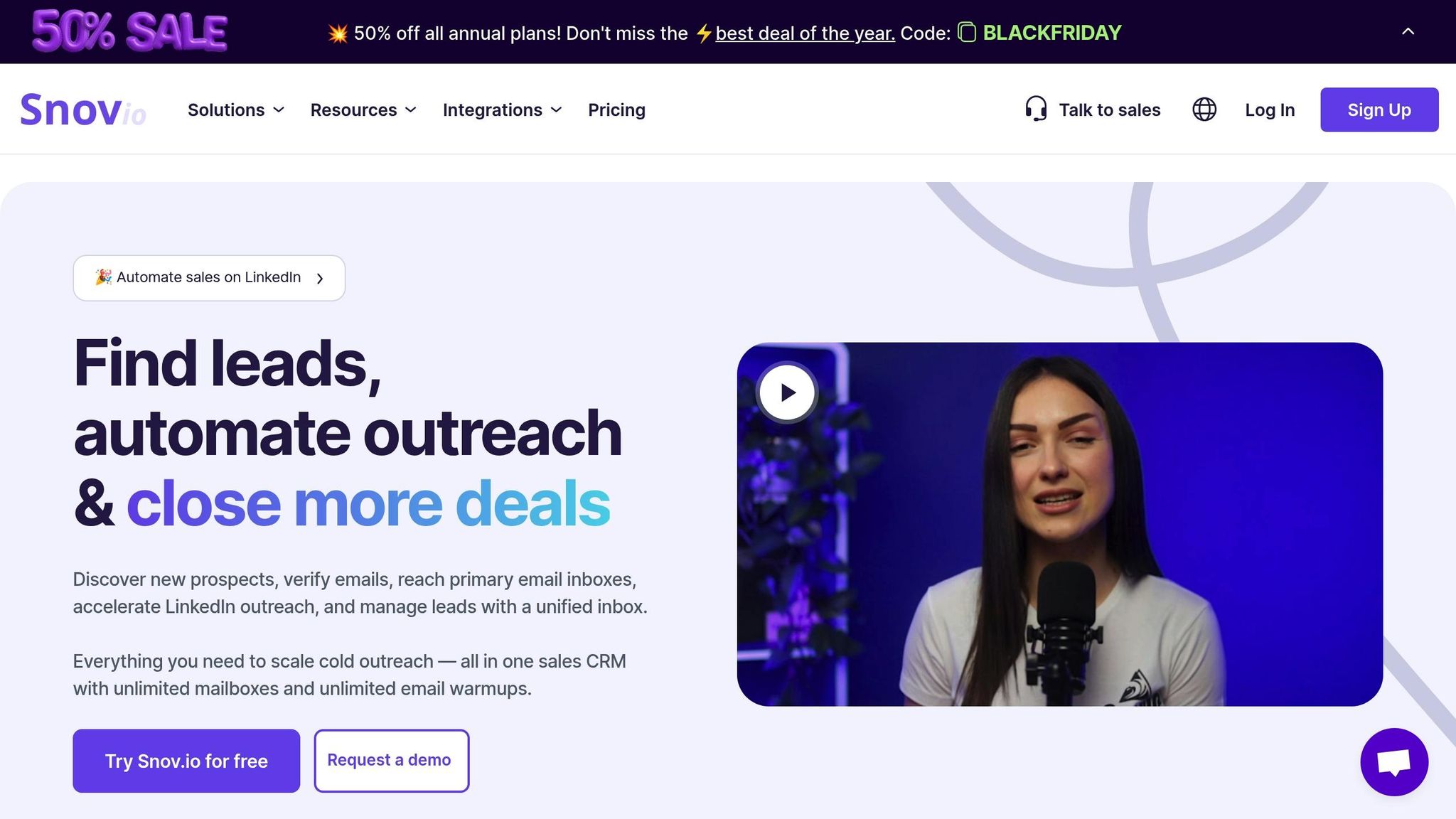
Snov.io is an all-in-one platform offering email verification, drip campaign automation, and detailed tracking. Designed for teams focused on lead generation and engagement, it boasts an impressive 92% deliverability rate and a 4.7/5 rating on G2 from over 350 reviews. Users frequently commend its email finder and precise tracking capabilities.
This tool provides instant notifications for email opens and clicks, per-link tracking, and A/B testing to fine-tune campaigns. It integrates seamlessly with major CRMs like Salesforce, HubSpot, and Pipedrive, automatically logging engagement data into contact records. For example, your sales team can immediately see when a prospect opens an email or clicks a specific link, without needing to switch platforms.
Pricing begins at $39/month for basic features, with enterprise options available for larger teams that require higher sending limits and advanced automation.
| Pros | Cons |
|---|---|
| Reduces bounce rates with email verification | Learning curve for beginners |
| Strong CRM integration with automatic data syncing | Higher cost for larger teams |
| High deliverability rate (92%) | Primarily sales-focused |
| A/B testing and detailed analytics included |
Best suited for B2B sales teams looking for a unified platform to manage lead generation and engagement.
Tool 2: Yesware
Yesware integrates directly with Gmail and Outlook, enabling real-time tracking with minimal disruption to your workflow. It provides instant desktop notifications for email opens and link clicks, along with features like template performance tracking, meeting scheduling, attachment tracking, and team analytics.
What makes Yesware stand out is its focus on team collaboration. Sales managers can monitor which templates perform best, analyze team-wide open and click rates, and identify successful outreach patterns. Automated follow-ups are another highlight - campaigns pause automatically when a prospect replies, ensuring no unnecessary emails are sent.
It also syncs engagement data with CRMs and sales platforms. For instance, if a prospect clicks a link to a case study, Yesware can update their lead score in your CRM and notify the assigned sales rep, all without manual effort.
Pricing starts at $10–$20/user/month for smaller teams, with advanced plans available for larger organizations and additional features.
| Pros | Cons |
|---|---|
| Integrates smoothly with Gmail and Outlook | Limited advanced automation features |
| Real-time notifications with simple setup | Primarily geared toward sales teams |
| Template tracking to optimize outreach | May not fit all marketing needs |
| Team analytics for performance insights |
Ideal for sales teams who rely on email and need instant feedback without complicating their workflow. Its one-click setup and familiar interface make it especially appealing for teams with varying tech skills.
Tool 3: Quickmail
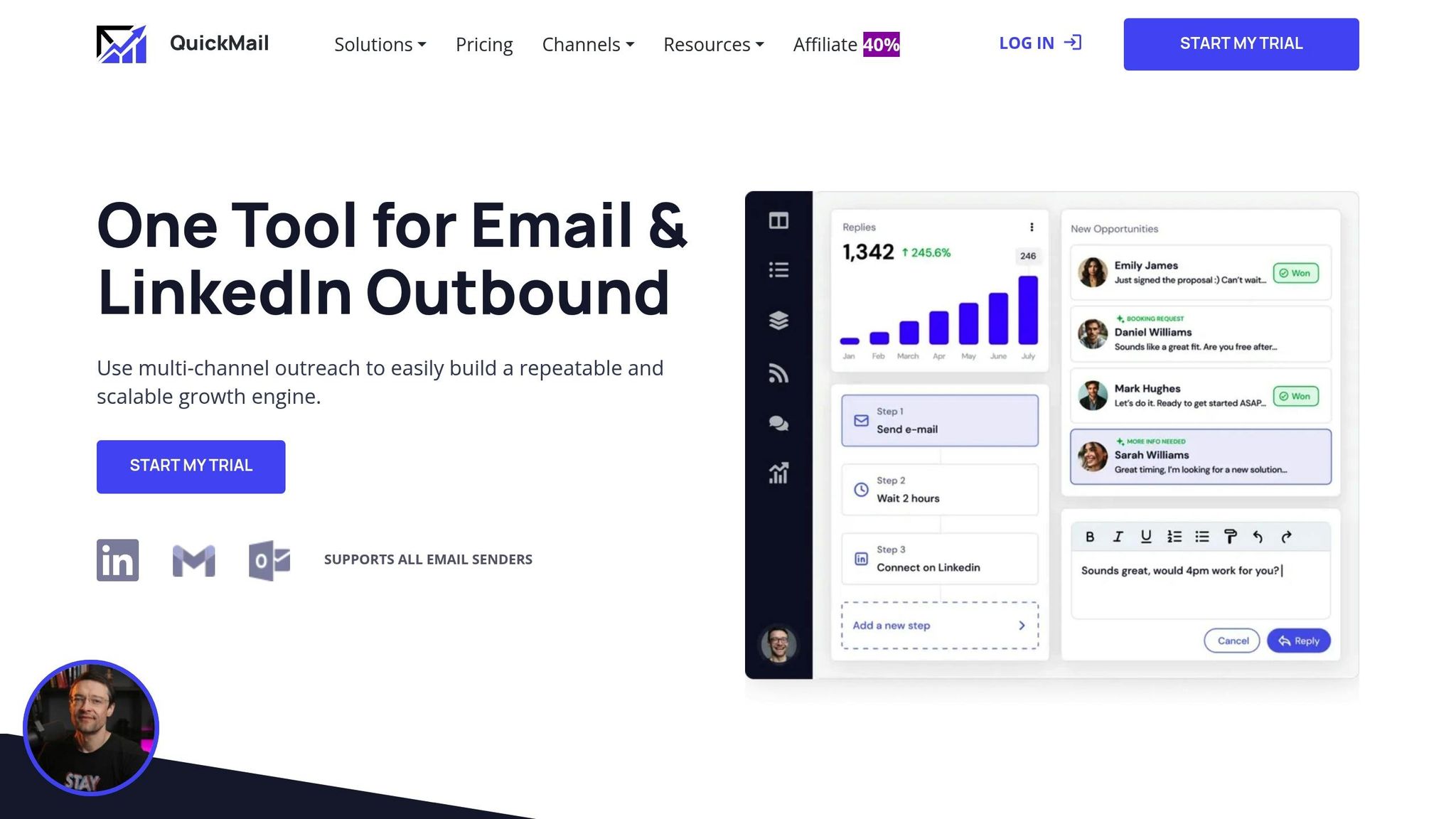
Quickmail is tailored for cold email campaigns, focusing on deliverability and automated follow-ups. Features like inbox rotation (to spread sends across multiple addresses), reply detection (to pause campaigns when prospects respond), and detailed analytics make it a valuable tool for outreach. Users report achieving response rates that are 2.3× higher, and it holds a 4.5/5 rating on G2.
The platform offers instant notifications for opens, clicks, and replies, along with campaign-level analytics to identify top-performing sequences. It also tracks individual contact journeys, showing how many times a recipient opened your email, which links they clicked, and whether they forwarded it.
Quickmail integrates with CRMs and marketing tools, enabling automated follow-ups based on engagement. For example, if a prospect clicks a pricing link but doesn’t reply, Quickmail can schedule a targeted follow-up two days later.
Pricing starts at $20–$30/month for basic plans, with advanced tiers for team and enterprise users.
| Pros | Cons |
|---|---|
| High deliverability with inbox rotation | Higher cost for larger teams |
| Automated follow-ups with reply detection | Less flexible for non-sales teams |
| Detailed analytics link engagement to results | Focused on cold outreach |
| 2.3× higher response rates reported by users |
Perfect for sales and growth teams managing high-volume cold email campaigns. Its focus on deliverability and automation ensures outreach remains both scalable and personalized.
sbb-itb-6e7333f
How the Email Service Business Directory Can Help
Picking the right real-time email notification tool can feel like a daunting task. That’s where the Email Service Business Directory comes in, simplifying the process by organizing email marketing platforms, tracking tools, and service providers into one easy-to-navigate resource. This directory is designed to help businesses quickly compare and choose solutions tailored to their real-time notification needs. It connects you directly to the features that matter most, cutting through the clutter.
Features of the Email Service Business Directory
This directory is a curated collection of email tools and agencies, skipping outdated or poorly supported options. Instead of jumping between vendor websites, sifting through scattered reviews, or trying to piece together feature comparisons, you can use filters to zero in on what’s most important for real-time notifications. Key features include:
- Instant desktop and mobile alerts
- CRM integrations with platforms like Salesforce and HubSpot
- Per-recipient engagement tracking
- Event-driven automation triggers
Each listing presents core capabilities side-by-side, making it easier to compare tools based on notification speed, analytics, and pricing. For instance, you can quickly see how per-user pricing (starting around $10–$20) stacks up against contact-based plans that grow with your email list. Tools that integrate seamlessly with popular U.S. platforms are flagged, so you can confirm compatibility with your existing systems at a glance.
Beyond platforms, the directory also features specialized agencies that focus on advanced tracking, improving deliverability, and managing campaigns. This dual approach means you can find both the right software and the right partner to get your email campaigns running smoothly - all in one place.
The directory is regularly updated with new tools and features, ensuring it remains a relevant resource for your evolving campaign needs.
Who Should Use the Directory
The Email Service Business Directory is designed to support businesses of all sizes, from solo entrepreneurs to large enterprises managing complex email operations.
Solo founders and small startups will appreciate the directory’s emphasis on budget-friendly tools, free plans, and straightforward setups. For example, a startup founder might use the directory to find a Gmail-integrated tracker that sends real-time desktop alerts during U.S. business hours, allowing for quick follow-ups on proposals without juggling multiple dashboards.
Mid-market companies can filter for tools that handle higher email volumes, enable team collaboration, and include role-based access controls. A B2B sales team of 15–20 reps might rely on the directory to find platforms with team analytics, template tracking, and audit logs - features that give managers better insight into their team’s outreach efforts.
Large enterprises will benefit from listings that highlight deep integrations with CRMs, data warehouses, and analytics tools, as well as support for complex workflows. For example, an enterprise marketing team might use the directory to identify tools that funnel real-time email engagement data into platforms like Google Analytics or Salesforce, creating a unified view of customer activity across multiple channels.
The directory also allows you to search by specific use cases or industries - like ecommerce, B2B sales, SaaS onboarding, or agency work. An ecommerce marketer, for instance, can filter for tools that combine real-time click tracking with abandoned cart automation and Shopify integrations, ensuring campaigns run smoothly without additional coding.
For U.S.-based businesses, the directory highlights vendors that meet compliance and support requirements, including CAN-SPAM compliance and data protection practices. It also flags tools with support teams available during Eastern, Central, Mountain, or Pacific time zones, making it easier to align with your business hours.
Whether you’re a sales professional needing instant alerts when a prospect opens an email, a marketer automating workflows based on link clicks, or an operations leader evaluating tools for a large team, the Email Service Business Directory provides a clear starting point. It saves time, reduces guesswork, and helps you find platforms that can grow alongside your business. Use this resource to streamline your decision-making and enhance your real-time engagement efforts.
Conclusion
Final Thoughts on Real-Time Email Notification Tools
Real-time email notifications have become an essential part of email marketing and sales strategies. By tracking actions like opens, clicks, and attachment views as they happen, businesses can respond right when a prospect or customer is most engaged. This kind of timing can lead to higher response rates, stronger engagement, and ultimately, increased revenue.
Reports show that tracked, multi-step outreach campaigns often achieve more than double the response rates compared to untracked ones, with some seeing increases of up to 2.3 times. These notifications allow sales teams to follow up immediately while their message is still fresh in the recipient's mind. They also enable ecommerce platforms to automate responses based on real-time customer behavior.
The available tools vary widely: some focus on simplicity and instant alerts, while others offer advanced automation for creating strategic, multi-step workflows. The best tool for your business will depend on factors like team size, your current tech stack, and whether your priority is quick follow-up visibility or long-term growth with integrated data and automation.
When selecting a tool, make sure it integrates seamlessly with platforms like Gmail, Outlook, Salesforce, HubSpot, or Shopify. Look for transparent pricing in USD, with clear options for per-user or per-contact plans. Many tools offer free or low-cost entry-level plans, making this technology accessible even for smaller businesses. Remember, the real value lies not just in receiving notifications but in using them to send timely messages, focus on high-priority contacts, and ultimately improve both revenue and customer satisfaction.
The next step? Turn these insights into action with targeted, data-driven strategies.
Next Steps for Businesses
To make the most of real-time email notifications, start by identifying one key use case. For example, set up immediate follow-ups for opened proposals or create win-back campaigns triggered by product clicks. Track metrics like reply rates, click-through rates, and revenue per campaign to see what works best. Experiment with subject lines, send times, and message content to find the combinations that deliver the strongest results.
Once you've identified your goals, compare tools based on your integration needs, budget, and desired features. Use resources like the Email Service Business Directory at emailservicebusiness.com to explore curated listings and side-by-side comparisons of top email marketing platforms. This directory allows you to filter options by features like desktop and mobile alerts, CRM integrations, engagement tracking, and automation triggers. Pricing models typically range from free plans to paid tiers starting at $10–$20 per user per month, making it easy to find a solution that fits your budget.
After choosing a tool, set up workflows to turn real-time insights into immediate actions, like triggering follow-ups or assigning tasks. This ensures that notifications don't just sit idle in your inbox. Test different approaches - adjust send times to align with local business hours or tweak subject lines and content - to refine your strategy. Focus on what drives the best results and build from there.
With real-time email notifications, you get constant feedback to fine-tune your approach. By selecting a tool that aligns with your workflow, integrates with your systems, and delivers actionable data, you'll be ready to connect with your audience at just the right moment - every time.
FAQs
How can real-time email notifications enhance customer engagement and boost conversions?
Real-time email notifications give businesses a clear view of when recipients open their emails or click on links. This instant feedback lets companies respond promptly and tailor their approach, whether it's sending a personalized follow-up message or presenting a relevant offer. The result? A more engaging customer experience and stronger connections.
These notifications also play a key role in fine-tuning email campaigns. By understanding what grabs the audience's attention, businesses can adjust their strategy to align with customer preferences. Over time, this data-driven approach can lead to improved conversion rates and more effective campaigns overall.
How do Snov.io, Yesware, and Quickmail compare, and which one is best for my business?
Snov.io, Yesware, and Quickmail are well-known tools for real-time email notifications, each tailored to meet different business needs. Snov.io stands out for its lead generation capabilities and features like email verification and CRM integration, making it a solid choice for tracking email activity. Yesware is designed with sales teams in mind, offering tools such as email tracking, customizable templates, and meeting scheduling. Meanwhile, Quickmail specializes in automated cold email campaigns, focusing heavily on deliverability and follow-up processes.
When deciding which tool suits your business best, think about your main objectives. If generating leads is your top priority, Snov.io could be a strong contender. For sales teams looking to optimize their workflow, Yesware might be the better option. On the other hand, if your goal is to automate outreach with efficient follow-ups, Quickmail could be the ideal solution. Take some time to assess your specific needs and, if possible, explore free trials to determine the best fit.
What steps can businesses take to comply with privacy laws like CAN-SPAM when using real-time email tracking tools?
When using real-time email tracking tools, businesses need to ensure their practices align with privacy laws like the CAN-SPAM Act. This means getting clear consent from recipients before sending emails, offering a straightforward way to unsubscribe, and including accurate sender details in every email.
It's also important to steer clear of misleading subject lines and clearly explain any tracking or data collection practices in your privacy policy. By regularly reviewing your email strategies and staying informed about privacy regulations, you can use these tools while staying on the right side of the law.