Email deliverability to AOL inboxes is all about meeting specific standards and maintaining a strong sender reputation. Here’s what you need to know:
- Authentication: Set up SPF, DKIM, and DMARC to verify your domain and emails.
- Sender Reputation: Keep complaint rates under 0.08%, bounce rates below 5%, and ensure reply rates exceed 10%.
- List Hygiene: Use double opt-in, validate email addresses, and regularly clean your list to avoid spam traps.
- Content: Avoid spammy language, use clear subject lines, and ensure your emails are mobile-friendly.
- Engagement: Monitor metrics like open rates, click-through rates, and reply rates to gauge performance.
- Testing: Use seed lists and spam filter tools to test emails before sending campaigns.
- Volume Management: Gradually increase email volume and maintain consistent sending patterns.
- AOL-Specific Compliance: Include List-Unsubscribe headers and monitor feedback loops to address complaints quickly.
What Should I Do If AOL Mail Is Blocking My Emails? - TheEmailToolbox.com
Authentication and Domain Setup
Setting up proper domain authentication is crucial for ensuring your emails reach AOL inboxes. Without it, AOL's spam filters might block your messages before they even have a chance. This process verifies that you're a legitimate sender and ensures your emails remain intact during transit.
Configure SPF, DKIM, and DMARC
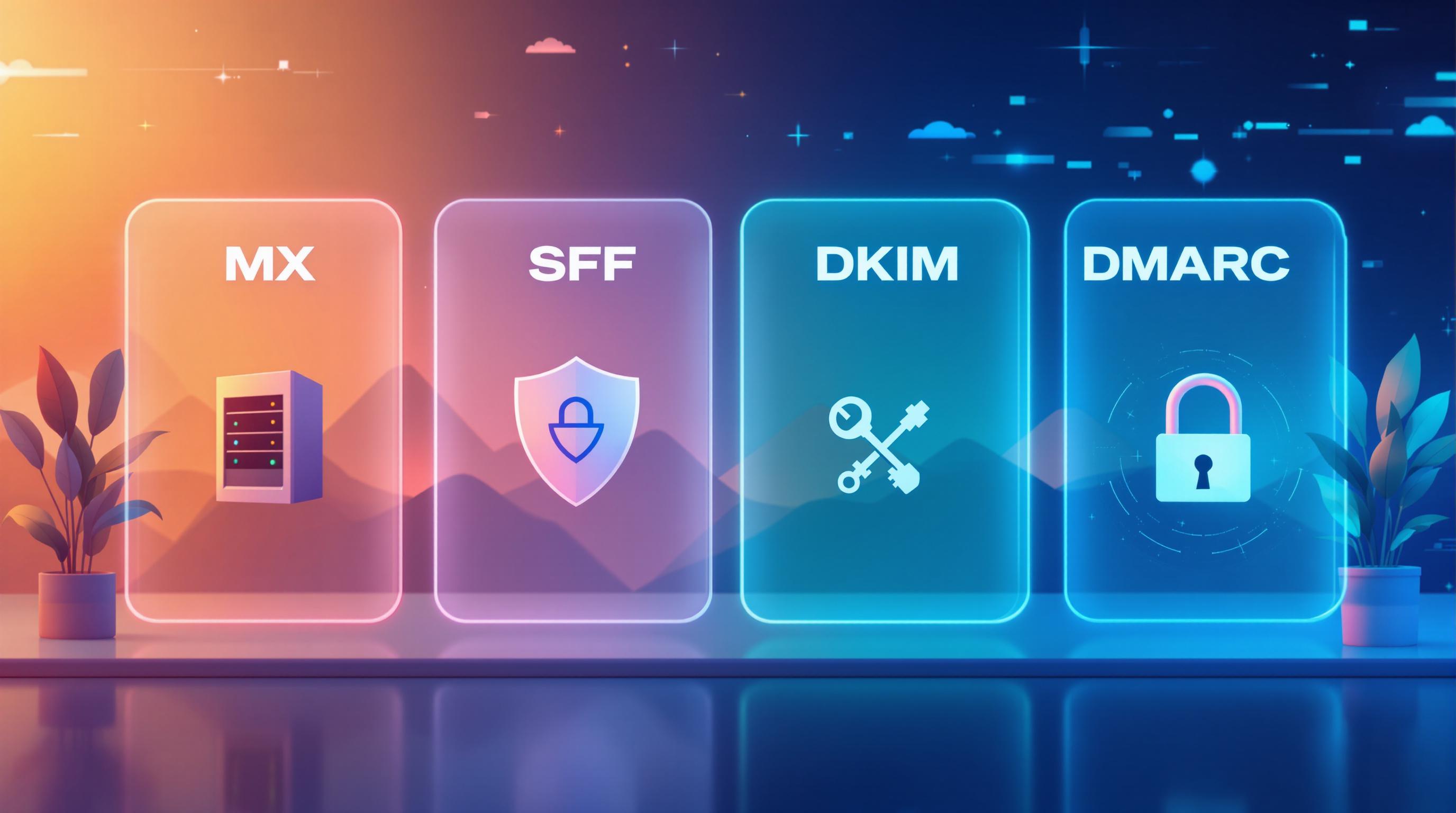
Start by configuring SPF (Sender Policy Framework). This involves adding a simple DNS TXT record like v=spf1 include:[your-email-provider] ~all. SPF tells AOL which servers are allowed to send emails on your domain's behalf. Use a soft fail (~all) instead of a hard fail (-all) to avoid rejecting legitimate emails accidentally.
Next, implement DKIM (DomainKeys Identified Mail). DKIM works by signing your outgoing emails and publishing a public key in your DNS. This ensures that your email content remains unchanged during transit. While most email service providers handle the technical setup, you'll need to add the DKIM public key to your DNS records.
Finally, integrate DMARC (Domain-based Message Authentication, Reporting, and Conformance). DMARC combines SPF and DKIM, instructs AOL on how to handle failed authentications, and provides feedback reports. Set up DMARC feedback loops and enforce its policies to monitor your authentication performance consistently.
For added protection, use a dedicated sending domain (e.g., mail.yourcompany.com or campaigns.yourcompany.com) instead of your primary domain. This isolates your main domain's reputation, so any spam complaints only affect the dedicated domain. Also, avoid domain forwarding, as it can lead to DMARC failures. Configure a custom tracking domain using your own domain rather than your email provider's to avoid shared reputation issues.
Once everything is in place, verify your records to ensure compliance.
Verify Domain Authentication
After setting up authentication, test it using email headers or online tools. Look for results like "SPF: PASS", "DKIM: PASS", and "DMARC: PASS." If you spot any DNS errors, address them immediately.
To monitor your progress, use the AOL Mail Postmaster Tool. This tool provides feedback on complaints from AOL users and allows you to track your IP reputation. Register your sending domains and IP addresses with the tool for real-time insights into any authentication issues.
Make it a habit to audit your setup every quarter or after making changes to your email sending practices. Regular maintenance ensures your records stay up-to-date and supports better inbox placement.
Keep in mind, domain authentication alone isn't enough - your IP reputation also plays a critical role. Even with perfect authentication, a poor IP reputation can still lead to AOL blocking your emails.
Maintain Sender Reputation
Your IP reputation plays a key role in determining whether AOL delivers your emails to the inbox or sends them straight to spam. AOL keeps a close eye on your sending habits, bounce rates, complaint rates, and engagement metrics to assign a reputation score. This score directly influences your inbox placement. For example, high bounce rates suggest you're using outdated or poorly sourced email lists, while complaint rates above 0.08% indicate recipients don't want your emails. Both scenarios can trigger AOL's spam filters.
Maintaining strict IP hygiene is essential for consistent deliverability. AOL uses domain-based reputation systems and whitelisting, meaning your sending patterns are constantly being evaluated. To stay ahead, use specialized tools to monitor these metrics and address issues as soon as they arise.
Monitor IP Reputation
Regularly tracking your IP reputation is non-negotiable. Use tools specifically designed to assess your domain's health and catch problems early. Key metrics to watch include bounce rates (keep them below 5%), complaint rates (stay under 0.08%), as well as open and click-through rates. Make it a habit to check these metrics weekly. If you notice bounce or complaint rates trending upward, it's a clear sign of potential deliverability issues that need immediate action.
Blacklist monitoring is equally important. Being listed on even one blacklist can seriously damage your ability to land in inboxes. AOL, like other ISPs, automatically blocks emails from blacklisted IPs. Blacklisting often results from high complaint rates, excessive bounces, or sending to spam traps. Set up alerts to notify you if your IP gets blacklisted, and resolve the underlying issues before requesting removal.
To avoid problems, remove hard bounces right after each campaign. Every bounced email signals to AOL that your list might be outdated, unreliable, or even scraped. Use email validation tools like DeBounce to verify addresses before sending. And whatever you do, avoid buying or scraping email lists - these practices violate anti-spam laws and can quickly destroy your reputation.
Another critical metric is your reply rate. Aim to keep it above 10%, as this signals healthy engagement and reassures AOL that your emails are legitimate. Spam emails rarely receive replies, so strong engagement metrics show you're sending content people actually value.
Choose Between Dedicated and Shared IPs
Once you've established a solid reputation monitoring routine, it’s time to decide whether to use a dedicated or shared IP for your email campaigns. Each option comes with its own set of advantages and challenges.
Dedicated IPs give you full control over your sending reputation. Your performance isn’t affected by other senders, making this a great choice if you have excellent list hygiene and send at least 100,000 emails per month. However, this option requires effort - you’ll need to "warm up" the IP by gradually increasing email volume over 2-4 weeks. Starting with a high volume right away can trigger AOL's spam filters, as it mimics the behavior of bots or compromised accounts.
Shared IPs, on the other hand, are pooled among multiple senders. This means your reputation depends on the practices of everyone sharing the IP. While shared IPs are easier to use and require lower sending volumes, the downside is that poor behavior by other users can hurt your deliverability.
Here’s a quick comparison:
| Factor | Dedicated IP | Shared IP |
|---|---|---|
| Control | Full reputation control | Shared reputation with others |
| Volume Required | 100,000+ emails/month | Works with lower volumes |
| Setup Time | 2-4 weeks for IP warming | Ready for immediate use |
| Best For | High-volume senders with clean lists | Smaller senders or inconsistent volumes |
| Risk | You're fully responsible for issues | Other users can affect deliverability |
Whether you choose a dedicated or shared IP, consistency in your sending volume is critical. AOL monitors whether you send similar amounts of email each day. Irregular or spiky sending patterns can raise red flags. Aim for steady, predictable activity to show AOL that your email practices are legitimate.
To further safeguard your deliverability, monitor SMTP codes for signs of throttling. Automated tools can help by adjusting your sending volume based on feedback from email providers, keeping you within acceptable limits.
For an added layer of trust, consider Return Path Certification. While AOL doesn’t have an internal whitelist, external certification programs can enhance your reputation. That said, certification isn’t a magic bullet - it won’t guarantee inbox placement if your content quality or engagement metrics are lacking. AOL still evaluates factors like content, URLs, and user behavior.
Building and maintaining a strong IP reputation is essential for meeting AOL’s filtering standards and ensuring your emails consistently reach the inbox.
List Hygiene and Quality Control
Maintaining a clean email list is as important as having a strong IP reputation when it comes to meeting AOL’s stringent standards. Good list hygiene improves your sender reputation by reducing bounces and complaints. On the flip side, outdated or spam trap addresses can lead to bounce rates exceeding 5% and complaint rates above 0.08%, which could result in blacklisting.
Invalid or inactive email addresses harm your credibility. AOL keeps a close eye on these metrics, and poor list hygiene can raise red flags, causing emails to land in spam folders - or worse, be blocked entirely. Spam trap addresses, which are abandoned accounts designed to catch problematic senders, can trigger immediate blacklisting if you send emails to them.
The key to good list hygiene starts with how you collect email addresses. Never purchase pre-made email lists. These often contain outdated addresses, errors, and hidden spam traps, all of which can destroy your AOL deliverability. Plus, they usually violate regulations like CAN-SPAM and GDPR because recipients haven’t explicitly opted in to receive your emails.
Implement Double Opt-In Practices
Double opt-in is one of the best ways to maintain a high-quality email list. This process requires subscribers to confirm their subscription through a follow-up email after providing their address. It’s a simple but effective way to catch typos, weed out fake or temporary addresses, and ensure that only genuinely interested individuals join your list.
By using double opt-in, you build a list of verified and engaged subscribers, reducing the likelihood of spam complaints. This, in turn, improves engagement and helps your emails land in AOL inboxes. To make the process seamless, send the confirmation email immediately after signup, use clear subject lines like “Please confirm your subscription,” and include an easy-to-spot confirmation link or button. Keep records of signups and confirmations to prove compliance if needed.
Validate and Clean Lists Regularly
Even after initial verification, regular list maintenance is critical to keep your deliverability rates high. Email addresses can become outdated over time, so it’s important to act quickly:
- Remove hard bounces immediately after each campaign. These are addresses that are permanently invalid, such as those tied to closed mailboxes or non-existent domains.
- Monitor soft bounces, which occur due to temporary issues like full inboxes. If an address soft bounces three times in a row, remove it from your list.
- Use email validation tools like Debounce, NeverBounce, ZeroBounce, or Clearout.io to check for syntax errors, confirm valid domains, and flag risky addresses such as spam traps.
Adding real-time email validation during the signup process can also catch typos and invalid addresses before they enter your system.
Inactive subscribers are another hidden risk. Email addresses that haven’t shown activity (like opens or clicks) in 6 to 12 months might be abandoned - and could eventually turn into spam traps. After each campaign, remove hard bounces and try to re-engage inactive subscribers. If they remain unresponsive, it’s better to remove them. A smaller, engaged list is far more effective than a large one filled with outdated contacts.
Segmenting your list by engagement levels can help you tailor your content and frequency to different groups. Also, always honor unsubscribe requests quickly - ideally within one business day - to avoid complaints. Joining AOL’s feedback loop program allows you to remove recipients who mark your messages as spam right away.
Keep an eye on key metrics: aim for a bounce rate under 2% (though anything under 5% is acceptable), an unsubscribe rate below 5%, and minimal complaint rates. A deliverability rate of 90% or higher is ideal. If your metrics start to slip, it’s a clear sign your list needs cleaning or your sending practices need tweaking.
Lastly, document everything. Record how subscribers joined, when they confirmed their subscription, and their preferences. This not only safeguards you in case of disputes but also proves to AOL that your list consists of verified, willing recipients.
Ultimately, regular list maintenance isn’t just a best practice - it’s a necessity for meeting AOL’s deliverability standards. By focusing on quality over quantity and keeping your list full of engaged, verified subscribers, you’ll improve both your deliverability and your reputation as a sender.
Optimize Email Content and Formatting
The way you craft and structure your emails plays a huge role in whether AOL delivers them to inboxes or flags them as spam. AOL’s content filters are on the lookout for spam signals like untrusted URLs, overly promotional language, and specific keywords commonly associated with spam. Even if your email list is spotless and your authentication setup is solid, triggering these filters can block your messages from reaching recipients.
AOL prioritizes emails from recognizable, trustworthy senders. By keeping your content clean and well-organized, you show AOL that your emails are legitimate and valuable to your audience. Think of this as a natural extension of earlier steps like authentication and building a strong sender reputation.
Create Spam-Free Content
Spam filters are more advanced than ever, analyzing not just keywords but also context, patterns, and how recipients interact with your emails. To stay out of the spam folder, use conversational, natural language that connects with your audience. Avoid tactics like excessive capitalization, multiple exclamation points, or urgent phrases such as "Act Now!" or "Limited Time Only!" These are red flags for spam filters.
Certain topics and phrases - like those related to money, loans, weight loss, or big promotions - are particularly risky. Instead, focus on delivering content that’s relevant and engaging. It’s about building trust, not trying to outsmart the system.
Subject lines are especially important. Keep them short - under 50 characters - so they display fully on mobile devices, where many AOL users read their emails. Avoid spammy words and make sure your subject line clearly reflects the content of your email. Experiment with A/B testing to find out what resonates most with your audience.
Preheaders, the preview text that appears next to your subject line, are another key element. Use this space to add context or spark curiosity, but don’t repeat your subject line. Highlight the value of your email here - perhaps a special tip or an enticing offer. Don’t waste this space on generic text like "View this email in your browser" or unsubscribe links.
Minimize the number of links in your email. Too many links can trigger spam filters and erode trust. Stick to essential links that directly support your email’s purpose. Avoid using URL shorteners or untrusted links, as these can raise red flags. Instead, use clear, descriptive anchor text that tells recipients exactly where the link will take them.
Attachments are another area to approach with caution. AOL’s filters view attachments as a potential security risk, often associating them with phishing or hacking attempts. Instead of attaching files, use tools like DocSend or share links to cloud storage services like Google Drive or Dropbox. These are seen as safer options by AOL’s systems.
Organize your email content with a clear structure. Start with your main message or value proposition, follow with supporting details, and wrap up with a strong call-to-action. Aim for an 80:20 ratio of useful content to promotional material. AOL users respond better to emails that provide genuine value - like tips, insights, or recommendations - rather than pure sales pitches.
To improve readability, especially on mobile devices, use short paragraphs and bullet points. Stick to one clear call-to-action rather than overwhelming readers with multiple options. This focused approach encourages engagement and reduces the chances of your email being ignored or flagged as spam.
Don’t overlook your email footer. It must include compliance essentials like a clear unsubscribe link, your physical mailing address, and any legally required information. Adding a List-Unsubscribe header in your email code provides an extra option for recipients to opt out. You may also want to include links to your privacy policy or preference center, where users can manage their email settings.
Following these content guidelines strengthens your email’s reputation and helps ensure better deliverability. Now, let’s move on to formatting your emails for AOL’s audience.
Use Proper Email Formatting
With a large portion of AOL users accessing emails on mobile devices, responsive design is critical. Design your emails with a mobile-first mindset, using a single-column layout and buttons that are at least 44x44 pixels for easy tapping. Make sure your emails display properly on screens as small as 320 pixels wide.
When it comes to HTML formatting, keep your code clean and simple. Use inline CSS instead of external stylesheets, as AOL tends to strip out style tags. Avoid overly complex structures like nested tables, and stick to web-safe fonts such as Arial, Verdana, or Georgia, with fallback options included.
While AOL doesn’t specify an exact image-to-text ratio, a good rule of thumb is to keep images at no more than 60% of your email’s content, leaving at least 40% for text. This ensures your message is still readable even if images don’t load. Always include descriptive alt text for images, which helps with accessibility and ensures your message gets through even when visuals fail to display.
Make sure your email has both HTML and plain text versions. Some users prefer plain text, and having both formats improves compatibility and increases the likelihood of successful delivery.
Use semantic HTML to create a clear visual hierarchy. Add enough white space to make your email easy to scan, and use readable font sizes - at least 14 pixels for body text. These design choices make your emails more user-friendly and reduce the chances of recipients marking them as spam out of frustration.
Before sending out your campaign, test your email in AOL environments to ensure it renders properly. Use seed lists - test email addresses across various providers, including AOL - to check deliverability and appearance. Run spam filter tests with dedicated tools to catch potential issues before your emails go live.
Consistency is key when it comes to your sender information. Use the same identifiable email address for your campaigns. This consistency builds trust with AOL’s systems and makes it easier for recipients to recognize your emails.
Keep a close eye on your performance metrics. Aim for reply rates above 10%, bounce rates under 2%, and unsubscribe rates below 5%. A deliverability rate of 90% or higher is a good benchmark. These numbers provide valuable insights into how well your emails are performing and can help you pinpoint any problems early on.
Finally, avoid sending large email batches all at once. Spread your sends throughout the day and across weekdays in consistent quantities. Sudden spikes in email volume can trigger spam filters and harm your sender reputation. By pacing your sends, you increase the likelihood of your emails reaching inboxes.
sbb-itb-6e7333f
Monitor Engagement and Metrics
AOL evaluates inbox placement based on how recipients interact with your emails - things like opens, clicks, and replies. These engagement metrics feed directly into AOL's filtering systems, shaping your sender reputation with every campaign. Keeping a close eye on these numbers helps you catch potential problems early, giving you the chance to tweak your strategy before your deliverability suffers.
Track Key Metrics
AOL relies on several key metrics to assess your email performance. Here's what you need to know:
- Delivery Rate: This measures the percentage of emails that successfully reach AOL's servers. If your delivery rate is low, it could indicate authentication or technical issues that need fixing.
- Open Rates: While modern privacy features have made open rates less reliable, very low numbers can still signal a problem with deliverability or content relevance.
- Click-through Rates (CTR): This tracks how many recipients interact with links in your emails. Strong CTRs show that your content resonates with your audience.
- Reply Rates: A reply rate above 10% is a great sign - it shows AOL that your emails are engaging and valued by recipients.
- Bounce Rates: Keep this below 2%. Hard bounces (permanent failures) hurt your sender reputation immediately, while repeated soft bounces (temporary issues like full inboxes or server downtime) can also become a problem.
- Complaint Rates: Aim for a complaint rate under 0.08%. Even a small uptick in spam complaints can lead AOL to filter your emails more aggressively.
- Unsubscribe Rates: These should stay below 5%. High unsubscribe rates might mean your content isn’t hitting the mark or that you’re emailing too frequently.
To maintain strong deliverability, you should target a delivery rate of 90% or higher. AOL also offers a feedback loop program that alerts you when users mark your emails as spam. If this happens, remove those users from your list immediately to avoid further damage to your sender reputation.
Use your email marketing platform to track these metrics consistently. Most tools provide dashboards for real-time monitoring, allowing you to focus on trends over time rather than isolated campaign results. For instance, if you see open rates improving and bounce rates dropping, it’s a good sign you’re on the right path. If the opposite occurs, it’s time to reassess your strategy.
Additionally, keep tabs on your sending volume. Sudden spikes can hurt your sender reputation, so monitoring your daily email output alongside engagement metrics gives you a clearer picture of your email health. AOL’s Mail Postmaster Tool is another valuable resource, offering reputation dashboards and blacklist status checks. Use it to identify and address potential issues early.
Improve Engagement Rates
Once you’ve established your key metrics, the next step is to actively boost engagement. Personalization and segmentation are essential here. Avoid generic, one-size-fits-all emails. Instead, tailor your messages based on recipient behavior, preferences, and past interactions.
Divide your list into segments - for instance, send highly relevant content to engaged subscribers, while targeting inactive ones with re-engagement campaigns. Personalization goes beyond adding a first name; reference past purchases, browsing habits, or other interests to make your emails feel genuinely tailored.
Optimize your subject lines and preheaders with A/B testing to see what resonates with AOL users. Ensure they align with the content of your email, as misleading subject lines can harm engagement.
Encourage interaction by asking questions, inviting feedback, or including interactive elements in your emails. These calls to action can significantly boost replies and clicks.
Be mindful of your follow-up strategy. Limit follow-ups to two additional emails (three total) and space them out by at least three days. Overdoing it can lead to higher spam complaints and lower engagement.
Send emails in smaller batches throughout the day to avoid volume spikes that might trigger spam filters. This also creates more natural engagement patterns.
Regularly clean your email list to remove inactive subscribers. Contacts who haven’t opened your emails in 90 to 180 days can drag down your metrics. Before removing them, try a re-engagement campaign. If there’s no response, it’s better to let them go. A smaller, more engaged list often performs better than a large, inactive one.
Pay attention to the campaigns and content types that drive the best engagement. Experiment with different days and times to find when your AOL audience is most responsive. If engagement metrics start to dip, dig into the data. Look for patterns in underperforming segments or campaigns and adjust your content, targeting, or frequency accordingly.
Treat your metrics as a feedback loop. By continuously refining your approach, you can maintain strong engagement and ensure your emails consistently land in AOL inboxes.
Pre-Campaign Testing and Validation
Once you've nailed down proper authentication and list hygiene, the next step is pre-campaign testing. Think of this as your safety net - it ensures your emails meet AOL’s deliverability standards before you hit send. Testing helps you catch issues like authentication failures, spam triggers, or content problems early, giving you a chance to fix them before they affect your sender reputation. Essentially, this phase connects your setup to the final delivery, making sure your emails navigate AOL’s filters successfully.
Aim to test your emails 24–48 hours before sending. Check that your authentication protocols are working, your content steers clear of spam triggers, and your emails consistently land in AOL inboxes.
Use Seed Lists for Testing
A seed list acts as your early warning system for potential deliverability issues. It’s a group of test email addresses spread across various providers - including AOL - that you send to before your actual audience. These addresses reveal where your emails land: primary inbox, promotions, or spam.
For AOL, set up a seed list with multiple addresses from domains like aol.com and aim.com. Include a mix of geographic regions and account types to get a full picture of how AOL handles your emails. Keep these addresses separate from your main subscriber list and never send promotional content to them.
Document the expected behavior for each seed address. For instance, if an address usually receives emails in the primary inbox but suddenly starts flagging them as spam, you’ll know something has changed - whether it’s your content, authentication, or sender reputation.
To keep your seed list accurate, rotate the addresses regularly. Remove any that bounce or become inactive, and update your documentation as needed. A well-maintained seed list provides reliable insights over time.
When testing with your seed list, check email headers to confirm that authentication protocols like SPF, DKIM, and DMARC are working. AOL relies heavily on domain-based reputation, so these checks are critical. If any protocol fails, work with your IT team to fix your DNS records before moving forward.
Pay attention to where your test emails land. If most reach the primary inbox, you’re on the right track. If they end up in spam or promotions folders, investigate your content, authentication, or sender reputation before sending to your full list.
Once your seed list testing confirms proper delivery, shift your focus to testing for spam filters and overall deliverability.
Test for Spam Filters and Deliverability
Spam filters are designed to catch emails that look suspicious or overly promotional. AOL uses algorithms to flag content with certain keywords or patterns, such as those related to money, loans, diets, or excessive promotions. To avoid these pitfalls, it’s essential to run your emails through spam testing tools.
These tools analyze your content, including subject lines, preheader text, sender name, and email body, for potential issues. They also check your links against URL reputation services and ensure your HTML displays correctly in AOL’s webmail interface.
Make sure your subject lines are straightforward and avoid overly promotional language. Additionally, verify that your unsubscribe link and List-Unsubscribe header are properly formatted. AOL pays close attention to these elements, and a broken unsubscribe link can lead to complaints and harm your reputation.
Monitor key metrics like bounce and complaint rates during testing. Aim for bounce rates below 5% and complaint rates under 0.08%. If your results exceed these thresholds, stop and investigate. High bounce rates often point to outdated or unverified email addresses, while high complaint rates suggest issues with your content or targeting.
Start small by sending to a portion of your seed list - 10 to 50 addresses - and monitor the results for 24 hours. If the results are positive, gradually scale up by sending to a small segment of your actual AOL subscribers (1% to 5% of your total list). Keep an eye on open rates, click rates, bounce rates, and complaint rates at every stage. Only increase your sending volume if the metrics remain stable.
Take your time ramping up. Gradual sending builds credibility with AOL’s email services and reduces the risk of your IP being flagged as spammy. Spread out your sends throughout the day with delays between batches to create natural engagement patterns.
Document everything - seed list results, spam filter tests, authentication checks, and key performance metrics. Keep records of which seed addresses received emails in the primary inbox versus spam folders. Save copies of your test emails, including subject lines and sender details. This documentation serves as a valuable reference for future campaigns and helps you identify and resolve issues quickly if problems arise later.
Manage Volume and Sending Patterns
Even if you've nailed your pre-campaign tests, how you send emails is just as important as what you send. AOL's filtering systems closely monitor your sending habits, constantly looking for signs of legitimate email activity versus spam-like behavior. If you suddenly send a massive batch of emails or follow an erratic schedule, you risk having your emails flagged as spam - or worse, your IP could get blacklisted.
Consistency is key. When AOL notices a steady, predictable sending pattern, it identifies you as a trustworthy sender. On the flip side, irregular behavior can harm your reputation and deliverability rates.
Ramp Up Volume Gradually
Sending thousands of emails overnight without a history of activity is a surefire way to trip AOL’s spam alarms. Gradually increasing your volume, also known as a “warm-up period,” is critical for building credibility as a sender. This is especially important for new domains or IP addresses that don’t have an established reputation.
Here’s how to do it: Start with small volumes and stick to a consistent schedule. For example, if you plan to send 1,000 emails in a week, spread them evenly across five business days - about 200 emails per day. Avoid sending all 1,000 emails on a single day, as this creates a volume spike that could raise suspicion.
For new IPs or domains, plan for a 14 to 30-day warm-up period. During this time, gradually increase your sending volume while distributing emails evenly across weekdays. Established IPs with a good reputation can handle larger volumes, but consistency in your sending patterns remains critical.
Keep an eye on your metrics during this ramp-up phase. Aim for:
- Bounce rate under 2%
- Unsubscribe rate below 5%
- Complaint rate under 0.08%
Even one misstep - like a sudden spike in volume or too many follow-ups - can damage your reputation and take weeks to fix. Overloading inboxes or sending follow-ups too aggressively increases the risk of being blacklisted or flagged as spam. To avoid this, limit follow-up emails to two per sequence (three total emails) and space them at least three days apart. This approach minimizes complaints while maintaining steady sending patterns.
Maintain Consistent Send Schedules
Once you’ve successfully ramped up your volume, maintaining a consistent schedule is just as important. Avoid the temptation to send all your emails at once. Instead, spread them out over several hours during the business day. This method, often called "throttling", helps you avoid triggering spam filters.
For example, sending large volumes on Monday and then nothing for the rest of the week can make AOL’s systems suspicious. Irregular patterns like this harm your sender reputation and reduce the likelihood of your emails landing in inboxes. Instead, aim for steady, daily volumes that reflect legitimate business activity.
Using scheduling tools can make this process easier. Many email platforms offer features to monitor and control daily sending volumes, ensuring you maintain a consistent pattern. These tools also help you track engagement metrics like reply rates, bounce rates, and complaint rates.
Speaking of engagement, it’s crucial to balance your sending frequency with how your audience interacts with your emails. A healthy reply rate above 10% signals to AOL that your emails are engaging and relevant. If engagement starts to drop, it may mean you’re emailing too often or targeting the wrong audience. On the other hand, strong engagement gives you more flexibility to slightly increase your frequency.
To maintain high deliverability, aim for a deliverability rate of 90% or higher. Regularly review your email performance and adjust based on the data. For example, if you notice a spike in complaints or bounces, it’s a sign to reassess your approach.
Finally, document your sending patterns and track how changes affect your metrics. This historical data helps you identify what works best for your audience and make informed adjustments over time. AOL assesses your domain’s reputation based on consistent, predictable behavior, so sticking to a steady sending routine is essential for long-term success.
Meet AOL-Specific Compliance Requirements
When it comes to AOL, simply optimizing your sending patterns isn’t enough. AOL has specific compliance requirements that go beyond standard practices. They rely on domain-based reputation and whitelisting, which means the reputation of your entire domain is on the line with every email campaign you send. Unlike email providers that focus mainly on IP reputation, AOL takes a broader view, evaluating your domain’s overall history and behavior.
This makes following AOL’s compliance rules absolutely critical. AOL takes user complaints seriously - if too many recipients mark your emails as spam, AOL won’t hesitate to block your messages. Below, we’ll break down the AOL-specific measures you need to take to protect your sender reputation.
Add List-Unsubscribe Headers
One of the most effective ways to reduce spam complaints is by using List-Unsubscribe headers. These headers give recipients a quick, one-click option to opt out of your mailing list without needing to visit your website. When users can easily unsubscribe, they’re less likely to report your email as spam. Plus, including an unsubscribe link isn’t just good practice - it’s required under the US CAN-SPAM Act.
To implement this properly, your email header should include both a mailto address and an HTTP URL for unsubscribing. Most modern Email Service Providers (ESPs) handle this for you, but it’s worth double-checking that your platform supports List-Unsubscribe headers and that the feature is enabled for emails sent to AOL users.
If you’re managing your own email infrastructure, include a header like this:
List-Unsubscribe: <mailto:unsubscribe@yourdomain.com>, <https://yourdomain.com/unsubscribe>
Make sure the unsubscribe process is simple and quick - just one click. Overcomplicating the process can frustrate users, increasing the risk of spam complaints. And don’t delay in honoring unsubscribe requests; doing so promptly can help prevent additional complaints.
While making it easy to unsubscribe is essential, keeping your complaint rates low is just as important for staying on AOL’s good side.
Stay Within AOL Complaint Rate Thresholds
AOL keeps a close watch on complaint rates, and high rates can seriously hurt your deliverability. When recipients mark your emails as spam, it signals AOL that users aren’t happy with your messages. Over time, this can lead to emails being filtered to spam folders, throttled, or even blocked entirely from AOL inboxes.
Although AOL doesn’t publish exact complaint rate thresholds, the goal is clear: keep complaints as low as possible. Regularly monitor your complaint rates and adjust your email strategy to address any issues. Setting up AOL feedback loops is a must - it helps you track which emails generate complaints so you can make necessary changes.
If you notice your complaint rates creeping up, act fast. Here’s what you can do:
- Audit your content: Look for potential issues like spammy keywords, suspicious URLs, or overly promotional language.
- Review your list quality: High complaint rates often mean you’re emailing people who don’t want to hear from you anymore. Clean your list by removing disengaged subscribers.
- Send re-engagement campaigns: Before removing inactive subscribers, try reaching out to see if they still want to hear from you. If they don’t respond, it’s time to let them go.
If your emails are already being filtered or blocked due to high complaints, rebuilding your reputation will take time. Start by emailing only your most engaged subscribers, then slowly increase your sending volume as your reputation improves.
Feedback loops are invaluable for long-term compliance. They provide insights into user behavior, helping you identify and remove spam complainers while refining your content strategy.
Finally, make sure your emails are easily recognizable. Use consistent branding and sender information so recipients know exactly who you are and what to expect. When users trust your emails, they’re less likely to mark them as spam.
Meeting AOL’s compliance requirements isn’t a one-time task - it’s an ongoing effort. Regularly review your metrics, act on feedback, and fine-tune your approach to maintain a strong reputation. By doing so, you’ll keep your emails landing in AOL inboxes where they belong.
Conclusion
Getting your emails into AOL inboxes requires a thoughtful approach that addresses all the factors AOL considers. This includes setting up authentication protocols like SPF, DKIM, and DMARC, keeping your email lists clean, and closely monitoring engagement metrics. Each step plays a role in building and safeguarding your sender reputation.
Your domain's sending history is a key factor in every campaign. AOL looks at consistency and deliverability through elements like authentication, sender reputation, list quality, content relevance, engagement patterns, and sending schedules. Keep your bounce rate below 5% to establish trust, while monitoring complaint rates and other metrics further strengthens your deliverability efforts.
Building a strong sender reputation doesn’t happen overnight. Gradually warm up new IPs and maintain steady sending activity to show AOL’s filters that your patterns are legitimate.
To avoid deliverability issues, use List-Unsubscribe headers, process unsubscribe requests promptly, and aim to keep complaint rates low. Feedback loops are a valuable tool for improving your content and refining your email lists.
Track key metrics to measure your success: aim for deliverability above 90%, bounce rates under 2%, unsubscribe rates below 5%, and reply rates over 10%.
If you’re searching for email marketing platforms that can help you meet these deliverability standards, the Email Service Business Directory is a great resource. Many platforms provide built-in tools for authentication, list validation, bounce tracking, and complaint monitoring, making it easier to implement these practices.
AOL deliverability requires a commitment to continuously applying best practices, keeping an eye on your metrics, and tweaking your strategy based on performance data. By sticking to these guidelines, you can improve your chances of reaching the inbox and achieving long-term campaign success.
FAQs
How can I improve my sender reputation to ensure my emails are delivered to AOL inboxes?
To improve your sender reputation and ensure better AOL email deliverability, there are a few essential practices to keep in mind:
- Authenticate your emails: Implement email authentication protocols like SPF, DKIM, and DMARC. These help verify your emails and signal to AOL that your messages are legitimate.
- Focus on quality content: Steer clear of spammy language, misleading subject lines, or overloading your emails with links. Instead, craft emails that are relevant, engaging, and tailored to your audience's interests.
- Keep your email list clean: Regularly update your list by removing invalid or inactive email addresses. This reduces bounce rates and improves overall engagement metrics.
- Track and encourage engagement: Aim to create emails that recipients want to open, read, and interact with. Higher engagement levels indicate to AOL that your emails are worth delivering to inboxes.
By prioritizing these strategies, you can strengthen your sender reputation and improve the likelihood of your emails reaching AOL users' inboxes instead of being flagged as spam.
What steps can I take to manage my email list and ensure high deliverability with AOL while avoiding spam traps?
To keep your emails reaching inboxes rather than spam folders on AOL, it's crucial to maintain a clean and active email list. Start by removing invalid or inactive addresses regularly - these can cause bounces or even flag your emails as spam. Using a double opt-in process when collecting email addresses is another smart move. This ensures that subscribers genuinely want to hear from you, reducing the chances of complaints or disengagement.
Pay close attention to engagement metrics like open rates and click-through rates. If these numbers drop, it could hurt your sender reputation. To keep your audience engaged, personalize your emails and deliver content that matches their interests. On the technical side, make sure your emails meet AOL's authentication standards, including SPF, DKIM, and DMARC. These measures confirm your identity as a legitimate sender and help build trust with both AOL and your subscribers.
What are common mistakes that increase email complaint rates, and how can I avoid them to comply with AOL's standards?
High complaint rates can seriously impact your email deliverability and reputation. Mistakes like sending emails to inactive recipients, using misleading subject lines, or skipping a clear unsubscribe option often result in your emails being flagged as spam.
To steer clear of these pitfalls, concentrate on maintaining a clean email list filled with engaged subscribers. Use honest and straightforward subject lines that reflect your email's content, and always include an easy-to-find unsubscribe link. On top of that, make sure your emails meet AOL's authentication standards by implementing protocols like SPF, DKIM, and DMARC. These steps help build trust and boost your chances of successful delivery.