- Boosting Activation Rates: BugHerd increased trial activations by 35% with automated email workflows.
- Reducing Cancellations: Monarch Money cut trial cancellations by 3.36% and tripled referrals with behavior-triggered messaging.
- Cutting Costs: Josys helped companies like Mach49 save 10–20% on SaaS expenses by automating license management.
- Streamlining Procurement: Spendflo saved Wodify 100+ hours by automating SaaS contract management.
- Accelerating Deployment: AutoRABIT reduced errors and sped up deployment cycles with automated pipelines.
Automation ensures users receive timely, relevant communication while improving operational efficiency. These case studies highlight how SaaS companies can achieve measurable growth with smarter workflows.
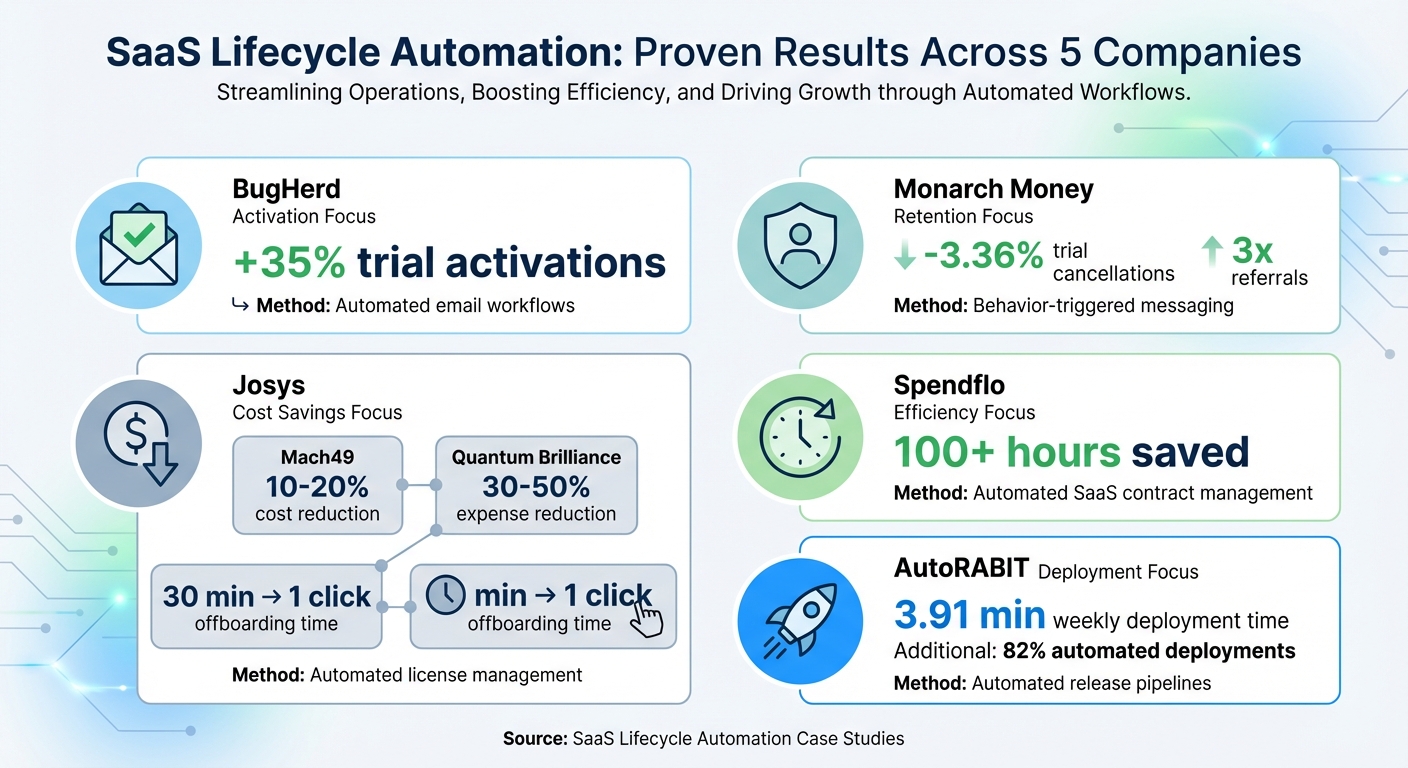
SaaS Lifecycle Automation Results: Key Metrics from 5 Case Studies
Case Study 1: Josys – Automating SaaS Lifecycle Management
Problems Before Automation
Managing SaaS manually can be a logistical headache, as Josys discovered when assisting companies like Mach49, Quantum Brilliance, and OnLoop. For Mach49, IT Director Bobby Lalwani relied on Excel and Word documents to track everything. This manual process was not only time-consuming but also prone to errors. For instance, offboarding a single user from a complex app like Atlassian took 30 minutes per session.
"Previously to Josys, managing SaaS was done individually. We documented everything manually in Excel or Word, but we were basically doing everything from scratch." - Bobby Lalwani, IT Director, Mach49
Quantum Brilliance had its own challenges. Global IT Manager Shaun Delorez initially used pen and paper, later transferring the data to spreadsheets. The lack of centralized oversight became a big issue as the company allowed teams to procure tools independently. OnLoop, meanwhile, faced security risks during contractor offboarding and struggled with outdated spreadsheets that hindered their SOC 2 compliance efforts.
A broader analysis of 500 global customers revealed the scope of the problem. Around 25% of total SaaS spending was wasted on licenses that were underutilized, unassigned, or hidden in shadow IT. For example, companies failed to use 35% of their Zoom licenses and left 25% of Salesforce licenses unassigned. Even worse, former employees, contractors, and vendors often retained access to company apps because their licenses were never revoked, creating serious security vulnerabilities.
Clearly, these inefficiencies called for a smarter, automated solution to manage SaaS effectively and securely.
How Automation Was Implemented and What Changed
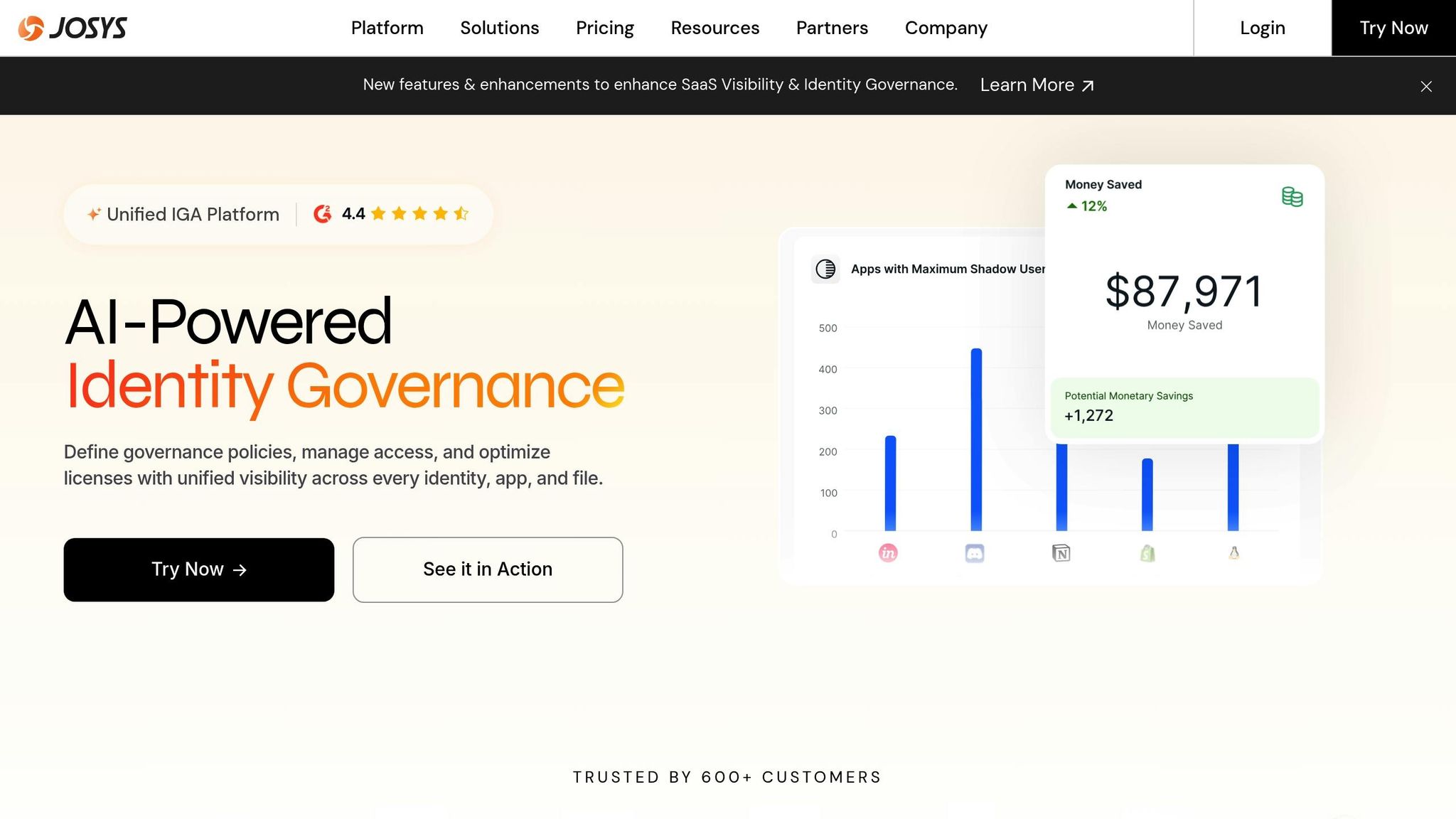
To tackle these challenges, Josys introduced a unified dashboard that replaced the need for spreadsheets and manual tracking. This dashboard provided real-time visibility into every application, user, and license. With browser extensions and integrations, it could also detect shadow IT and flag "shadow users" who retained access to company systems after departing.
The impact was immediate. OnLoop integrated their user and SaaS data into Josys in just three days. During onboarding, they identified 5 unused licenses and revoked access for over 10 contractors who no longer worked with the company. Mach49 saw similar benefits, cutting 10-20% of their monthly user costs by pinpointing unused licenses. Their Atlassian offboarding process, which previously took 30 minutes, was reduced to a single click, eliminating hours of manual work.
Quantum Brilliance experienced even bigger wins. By identifying underutilized licenses that made up 60% of their IT spend, they slashed SaaS expenses by 30-50%. The platform also automated offboarding notifications and helped them meet ISO 27001 compliance standards. Meanwhile, Sales Marker reduced IT labor hours by 50%, highlighting the consistent benefits of automating SaaS lifecycle management.
sbb-itb-6e7333f
Case Study 2: Spendflo – Streamlining SaaS Procurement for Wodify
Improving Procurement Processes
Wodify, a gym management software provider supporting over 5,000 gyms in more than 100 countries, faced a familiar challenge for expanding SaaS companies: managing procurement effectively. CFO Rick Schopp and his team struggled without a central platform to track their SaaS stack. This lack of visibility led to surprises during contract renewals, leaving them scrambling for last-minute deals instead of planning ahead. The team also spent countless hours manually gathering pricing benchmarks and building contract expertise. Previous experiences with SaaS management tools like Tropic and Vendr fell short due to complex onboarding processes, resulting in low adoption rates.
Spendflo offered a fresh approach. Their concierge onboarding team handled the entire setup process, ensuring the platform was fully adopted. All SaaS-related data was consolidated into a single dashboard, providing real-time insights into contracts, expenses, and renewal schedules. Automated alerts gave the team 30–90 days' notice before renewals, shifting their approach from reactive to proactive. These changes set the stage for both operational and financial improvements.
Results and Financial Impact
The shift was transformative. Wodify saved over 100 hours by automating their SaaS procurement and management processes. Instead of manually searching for pricing information, the team gained instant access to up-to-date market benchmarks, ensuring they never overpaid during renewals. Automated spend reports eliminated tedious data collection, allowing the finance team to redirect their efforts toward more strategic initiatives.
"Spendflo proactively manages our SaaS contracts and reporting, making our lives so much easier. Compared to similar products we've used in the past, the customer experience with Spendflo has been nothing short of delightful. We no longer have to worry about getting the best SaaS deals - it's all taken care of on auto-pilot!" - Rick Schopp, CFO, Wodify
Centralized insights also empowered Wodify to tailor contracts to fit their unique needs and negotiate better vendor terms. By replacing fragmented spreadsheets and a reactive mindset, they gained the leverage to secure competitive rates. This streamlined process not only reduced administrative headaches but also strengthened their overall procurement strategy.
Case Study 3: AutoRABIT – Accelerating Deployment Lifecycles
Deployment Challenges Before Automation
A 20-year-old SaaS company faced serious hurdles in scaling its operations. Its deployment process relied heavily on manual efforts, which were not only time-consuming but also prone to errors. This inefficiency made it difficult to achieve a smooth application lifecycle [26,28].
The team described their deployment workflow as "difficult and clunky", with no version control or automated pipelines in place. As a result, release cycles dragged on, delaying production timelines and frustrating developers [26,30]. This was especially risky for a company handling sensitive customer data - every production error could harm its reputation and erode client trust.
How Automation Changed Deployment
To address these inefficiencies, the company turned to automation, implementing AutoRABIT's Automated Release Management (ARM) platform. This solution replaced the manual workflow with an automated pipeline, tailored to meet the demands of their growing development needs. A key improvement was the introduction of version control, which ensured that all code changes were tracked and managed properly - a crucial step for maintaining data integrity when dealing with sensitive information.
Pipeline automation eliminated the frequent human errors that plagued the manual process. Tasks like managing restrictive change sets and handling complex metadata mapping were now automated, enabling the team to deploy with greater confidence [30,31]. The impact was immediate: production errors dropped significantly, and the company could deliver SaaS solutions to market much faster.
Similar success stories in financial services highlight the power of automation. For instance, one organization reduced its weekly deployment time to just 3.91 minutes and automated 82% of its deployments using CI jobs. Another achieved an 83% success rate in its deployment processes.
Lessons Learned and Practical Recommendations
Performance Comparison Across Case Studies
Looking at various case studies, some clear trends emerge about how lifecycle automation addresses key SaaS challenges. While companies may target different phases of the customer journey, the results consistently show measurable gains in both efficiency and revenue. For instance:
- Localized campaigns have driven impressive conversion rate improvements.
- Lugg’s efforts to recover abandoned bookings achieved conversion rates between 12–15%, contributing a 2.5% boost to monthly revenue.
- Guardio credited automated lifecycle campaigns for 20% of its monthly upgrades.
These examples highlight the tangible benefits of lifecycle automation and provide a framework for practical implementation.
How to Implement Lifecycle Automation Successfully
To replicate these successes, start by identifying where revenue is leaking in your funnel. Focus on areas like abandoned sign-ups, trial expirations, or failed payments, and automate solutions for these high-impact opportunities. Casetext’s approach is a great example: they implemented 317 optimized workflows, which resulted in 263 new customers and $353,000 in revenue.
Centralizing your data is another key step. Consolidate product, user, and payment data into one of the best email marketing platforms to eliminate silos and enable real-time decision-making. Holly Benjamin, Head of Marketing at Lugg, emphasized the importance of this:
"By centralizing our messaging in one platform, we've eliminated silos and made it much easier to test, optimize, and analyze performance".
Instead of relying on generic, time-based emails, shift to behavior-triggered messages tailored to specific user actions. Monarch Money, for example, reduced cancellations by 3.36% by replacing generic trial emails with targeted onboarding messages.
Testing and refining are equally important. Notion’s A/B testing of subject lines for a product launch resulted in a 20% increase in open rates - a simple tweak with a big payoff.
Finally, use multiple channels strategically. Each channel has its strengths: email works well for detailed storytelling, SMS is ideal for urgent updates, and push notifications excel at delivering real-time nudges. By aligning the channel with the context of your users, you can enhance the overall impact of your lifecycle automation strategy. Together, these tactics demonstrate how lifecycle automation can drive growth and retention for SaaS businesses.
SaaS Growth Case Studies: $1M in Revenue
FAQs
Which lifecycle stage should I automate first?
When deciding where to implement automation first, onboarding often stands out as a smart choice, especially for SaaS companies. Why? Automated onboarding emails can help new users get acquainted with your product, leading to higher activation rates and lower early churn.
For instance, some businesses report activation rates climbing by more than 30% after introducing automation into their onboarding process. This sets the stage for stronger retention and sustainable growth down the line.
What data do I need to power behavior-triggered messaging?
To set up behavior-triggered messaging, start by gathering and analyzing data on what your customers do and who they are. Focus on behavioral details like page visits, clicks, or cart abandonment, as well as their purchase history and interactions with past campaigns. Combine this with customer attributes, such as demographics and preferences, to craft personalized messages that resonate.
By feeding this data into your automation platform, you can create real-time segments and deliver timely, relevant messages tailored to each customer's actions and interests. This approach ensures your communication feels personal and hits the mark at just the right moment.
How do I measure ROI from lifecycle automation?
To gauge the effectiveness of lifecycle automation, focus on tracking key metrics such as revenue impact, conversion rates, and customer lifetime value (CLV). These indicators provide a clear picture of how automation contributes to your bottom line.
For example, case studies have shown that automation can lead to revenue increases of up to 900% and significant growth in profits. These numbers highlight the potential of automation to transform business performance.
To truly assess its value, examine how these tools align with your specific business objectives. Are they helping you meet your goals? Are they streamlining processes or driving measurable growth? By connecting the dots between automation and outcomes, you'll better understand its overall impact.