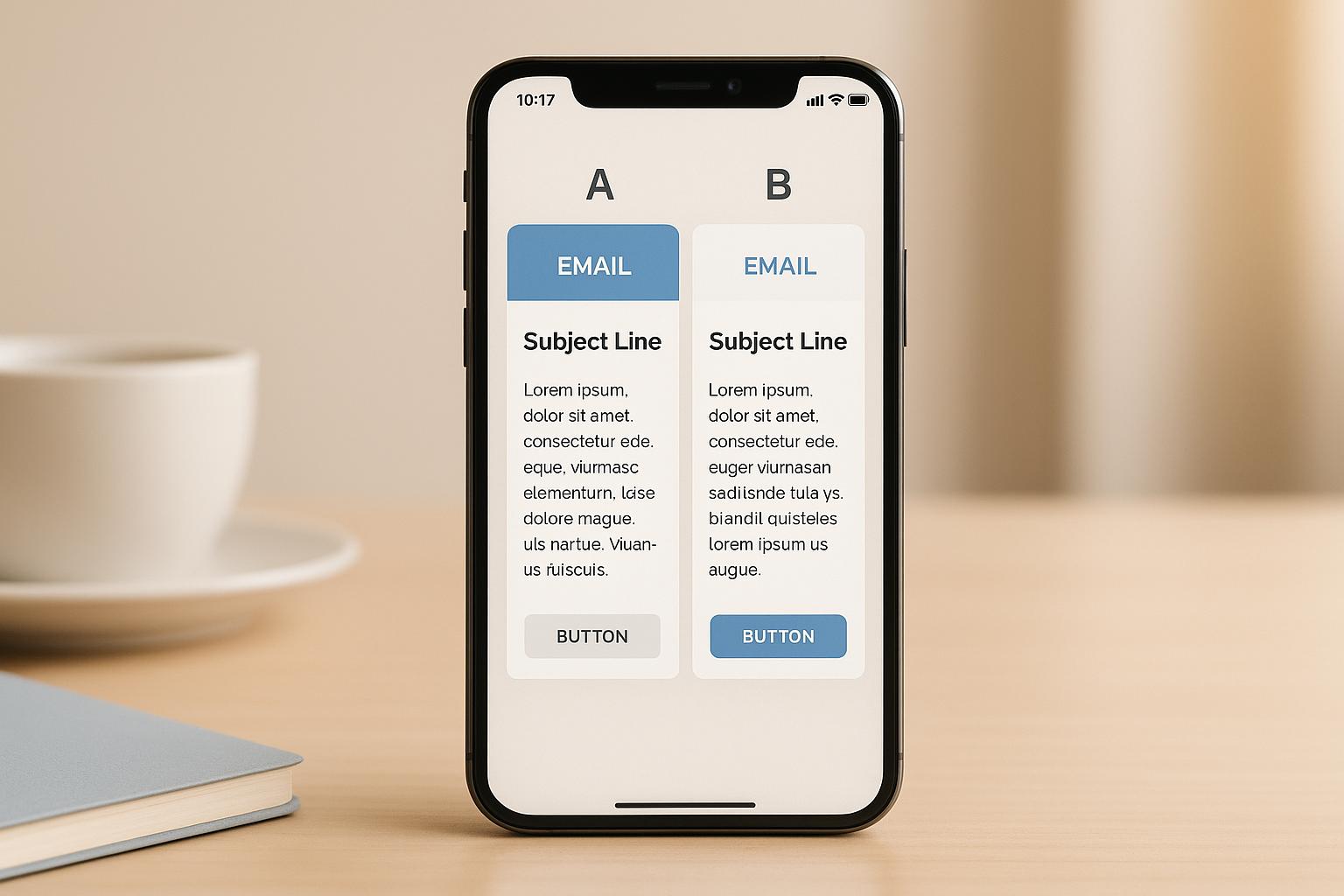
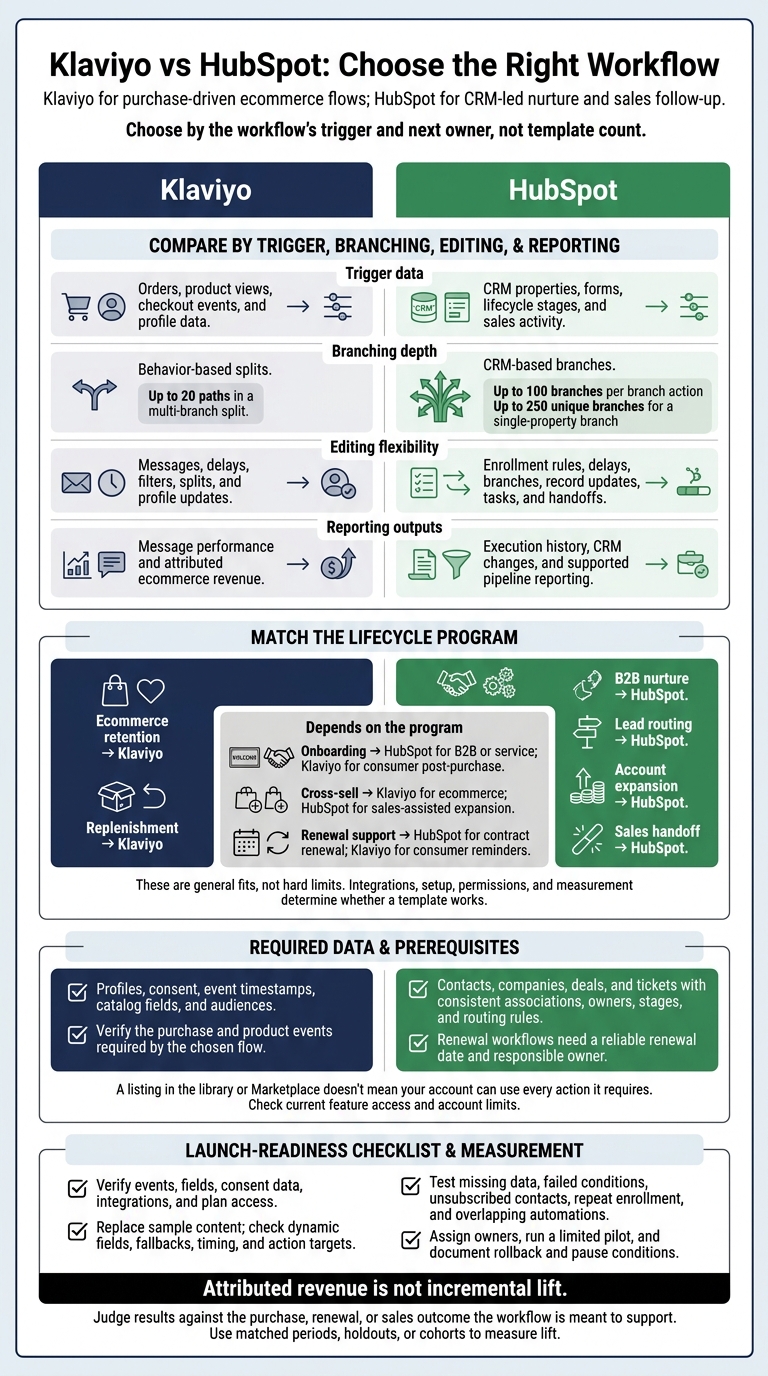
I’d choose Klaviyo for purchase-driven ecommerce flows and HubSpot for CRM-led nurture and sales follow-up. Before choosing a template, check whether your account has the events, fields, consent data, and plan access it needs.
I compare both platforms across 4 criteria: trigger data, branching depth, editing flexibility, and reporting outputs. Klaviyo starts closer to cart recovery and repeat purchases. HubSpot starts closer to lead routing, account ownership, and pipeline progress.
Quick Comparison
| Criterion | Klaviyo | HubSpot |
|---|---|---|
| Trigger data | Orders, product views, checkout events, and profile data | CRM properties, forms, lifecycle stages, and sales activity |
| Branching depth | Behavior-based splits; up to 20 multi-branch paths | CRM-based branches; up to 100 branches per branch action |
| Editing flexibility | Messages, delays, filters, splits, and profile updates | Enrollment rules, delays, branches, record updates, tasks, and handoffs |
| Reporting outputs | Message performance and attributed ecommerce revenue | Execution history, CRM changes, and supported pipeline reporting |
My rule: <u>test the data and actions before you launch</u>. Both platforms need setup, consent checks, and controlled testing. And attributed revenue is not incremental lift - I’d judge results against the purchase, renewal, or sales outcome the workflow is meant to support.
Klaviyo vs HubSpot: Choose the Right Workflow
Klaviyo vs Hubspot | Which is Better in 2026?
sbb-itb-6e7333f
Template Libraries and Required Data
A template can only work with the data it can read. Klaviyo starts with ecommerce events; HubSpot starts with CRM records and pipeline actions. Klaviyo’s flow library focuses on abandoned cart, post-purchase, and win-back programs. HubSpot’s Marketplace adds templates for assigning new web leads and notifying owners after payment.
| Use case | Klaviyo starting point | HubSpot starting point | Included actions and content | Data and integration requirements | Subscription checks |
|---|---|---|---|---|---|
| Welcome and nurture | Native welcome flow | Built-in or Marketplace workflow | Messages, delays, and introductory content; CRM enrollment and follow-up actions | Consent, list membership, and contact fields | Channel access and automation permissions |
| Cart and browse abandonment | Native ecommerce flows | Usually custom, with ecommerce integration | Product reminders and cart recovery content | Viewed Product, Started Checkout, or Added to Cart events; product fields; purchase exclusions | Event support and message allowance |
| Post-purchase, win-back, replenishment, and VIP | Ecommerce flow patterns | Usually customized customer workflows | Education, review requests, repurchase reminders, and loyalty content | Orders, purchase dates, catalog data, and segments | Available channels and workflow actions |
| Back-in-stock and price-drop | Specialized flow starting points | Custom workflow or integration | Inventory or price-change notifications | Supported catalog, inventory, or price data; subscriber-product relationship | Catalog compatibility and channel access |
| Lead assignment and sales follow-up | Custom CRM-connected setup | Built-in patterns or Marketplace templates | Owner assignment, tasks, notifications, and property updates | Contacts, owners, routing rules, deals, and pipelines | Required Hub access and workflow permissions |
| Onboarding, renewal, and expansion | Custom or integration-based flows | Custom workflows using CRM actions; Marketplace assets may help | Tasks, record updates, owner alerts, and customer communications | Contract dates, customer status, associated records, and billing or usage integration | Object availability and relevant subscription features |
Check current feature access and account limits before choosing a template. A listing in the library or Marketplace doesn't mean your account can use every action it requires.
Then match the template to the fields and events your account actually stores.
Klaviyo Templates for Ecommerce Retention
Klaviyo’s core ecommerce templates use customer events and purchase history. Message counts and delays vary by template design and integration.
Prepare profiles, consent, event timestamps, catalog fields, and audiences. Cart flows may use Started Checkout or Added to Cart, depending on integration support. Browse abandonment needs Viewed Product tracking, plus exclusions for customers who later check out or purchase. Back-in-stock uses Subscribed to Back in Stock and holds the flow until inventory returns.
HubSpot Templates for B2B and Customer Management
HubSpot’s documented starting points cover lead nurture, lead assignment, lifecycle updates, sales follow-up, notifications, tasks, onboarding, and ticket management. Marketplace templates add actions such as assigning new web leads and notifying owners after payment. Renewal and expansion workflows still require custom fields and rules.
Prepare contacts, companies, deals, and tickets with consistent associations, owners, stages, and routing rules. Use supported custom objects where needed, and check permissions and re-enrollment settings.
A renewal workflow needs a reliable renewal date and a responsible owner. If those fields exist only in billing software, sync them first. Most full workflows require Professional or Enterprise access, but object and action access still varies by Hub.
Once the template fits your data model, branch logic determines how far the workflow can go.
Branching and CRM Data
Klaviyo branches on customer behavior; HubSpot branches on what a CRM record needs next. Check what data each branch can read and what action follows, not just the path name or enrollment trigger.
| Comparison area | Klaviyo | HubSpot |
|---|---|---|
| Enrollment | Metric or event, list or segment membership, profile conditions, custom-object activity, and price-drop events where supported | Filter criteria, events, form submissions, property changes, and CRM activity |
| Branch inputs | Profile properties | Object properties |
| Events | Purchases, product views, checkout, fulfillment, and custom events | Forms, meetings, calls, deal-stage changes, sales activity, and service events |
| Record links | Profiles and associated custom-object records where enabled | Associated contacts, companies, deals, tickets, and other supported CRM records |
| Branch types | Conditional splits, trigger-based splits, and multi-branch splits | If/then branches, branches based on a single property or prior action result, and multi-branch actions |
| Branch outcome actions | Email, SMS, delays, profile updates, and integrations | Email, delays, record updates, tasks, notifications, and integrations |
Klaviyo supports up to 20 paths in a multi-branch split. HubSpot supports up to 100 branches per branch action and up to 250 unique branches for a single-property branch.
Klaviyo reads native ecommerce metrics. HubSpot usually needs connected commerce apps, custom fields, or integrations, so verify the exact data source. Branch types, channels, objects, and actions also depend on your subscription and permissions.
Klaviyo Branching by Customer Behavior
Klaviyo’s splits work best with clean purchase history and behavior tracking.
Conditional splits evaluate the person when they reach the split; trigger splits read the event that started enrollment. Use trigger-event data for the specific order or interaction that started the flow. Use profile properties for broader customer history.
Multi-branch paths run in order. Put higher-priority conditions first when conditions overlap, and include an explicit fallback. Product-specific rules need the relevant metrics in the account.
Route customers by purchase history, VIP status, repeat buying, and current interaction. Give everyone else a fallback path.
HubSpot Branching by CRM and Pipeline Data
HubSpot’s branches work best when CRM properties and associations are complete.
Event enrollment only applies to new qualifying events. A record does not enter just because it already matched when the workflow was activated.
Route records by lifecycle stage, company size, territory, and owner readiness. Send incomplete records to a data-completion path.
Template Editing, Testing, and Reporting
Once branching logic is set, check whether you can edit, test, and measure the template with the data you already have. A template is only a starting point. Klaviyo still needs verified commerce data and channels. HubSpot still needs validated CRM records and workflow actions.
| Setup or reporting area | Klaviyo | HubSpot |
|---|---|---|
| Message and action editing | Replace sample copy, images, offers, sender details, branding, and dynamic content; confirm enabled channels. | Edit emails, personalization tokens, tasks, notifications, delays, and record updates; confirm supported actions. |
| Data validation after edits | Recheck trigger metrics, mappings, catalog fields, IDs, lists, segments, and consent after edits. | Recheck properties, object associations, pipelines, owners, users, and permissions after edits. |
| Branch testing | Test with previews, profiles, and controlled events; confirm rendered catalog and event data. | Use the workflow Test feature to check enrollment and simulate a record’s path. |
| Enrollment controls | Review trigger filters, flow filters, suppression lists, Smart Sending, and repeat-entry behavior. | Review enrollment triggers, re-enrollment, suppression lists, unenrollment rules, and goals. |
| Message analytics | Check deliveries, opens, clicks, conversions, and flow-message performance. | Check email engagement and message-level performance. |
| Revenue attribution | Attributed revenue requires ecommerce data and a configured monetary conversion metric. | Confirm that the subscription, connected records, and permissions support the template’s revenue reporting. |
| CRM outcomes | Confirm that customer and account data support outcome analysis. | Track property changes, ownership actions, and deal or ticket progression; verify business results. |
| Action reporting | Inspect execution at individual flow steps. | Inspect execution history, skipped actions, delays, and record progression. |
After these setup checks, test the template against real records and rendered content.
Edit and Test Before Launch
Replace sample content, then check fallbacks, offers, dates, currency, timing, and consent controls. In Klaviyo, verify catalog and event fields before approving dynamic content. In HubSpot, make sure each action points to the correct property, pipeline, owner, and associated object - not just an available field.
Use supported previews, testing tools, and controlled records to check missing data, failed conditions, unsubscribed contacts, and repeat enrollment. Check overlapping automations for duplicate messages or conflicting updates. Previews do not replace live checks for consent, delivery, and action behavior.
After launch, compare message performance with workflow execution to see whether the template moves the right records.
Measure Revenue and CRM Results
Use native diagnostics to check execution and exports for deeper analysis. Klaviyo’s message cards show a 30-day analytics snapshot. Exports can group results by day, week, or month and include A/B email variations. HubSpot’s workflow enrollment history can go back up to 6 months. Analysis over longer periods may require exports or another reporting process.
Inspect enrollment and branch volume before blaming copy. Also, separate an executed task from a completed sales follow-up.
For Klaviyo, evaluate ecommerce revenue attribution. For HubSpot, verify CRM and pipeline outcomes. Attributed revenue is not incremental lift. Use matched periods, holdouts, or cohorts to measure lift.
Repeat purchases require customer-level order history. Renewals and expansion require account identity, contract dates, and revenue data. NRR requires starting recurring revenue, churn, contraction, and expansion; exclude new-customer revenue. Renewals, expansion, and NRR usually require exports or external analysis.
Conclusion: Choose by Lifecycle Program
Choose by the workflow’s trigger and next owner, not template count. Klaviyo fits behavior-led ecommerce programs. HubSpot fits CRM-led, sales-assisted programs. These are general fits, not hard limits. Integrations, setup, permissions, and measurement determine whether a template works.
| Lifecycle program | Preferred fit | Required data | Main limitation |
|---|---|---|---|
| Ecommerce retention | Klaviyo | Profiles, consent, orders, engagement, product activity | Less focused on account ownership, pipelines, and sales tasks |
| B2B nurture | HubSpot | Contacts, companies, lifecycle stage, lead status, consent, engagement | Ecommerce journeys may need added integrations |
| Lead routing | HubSpot | Lead score, territory, company, owner rules, stage, routing status | Behavioral follow-up needs coordination with marketing segments |
| Onboarding | HubSpot for B2B or service; Klaviyo for consumer post-purchase | Signup or contract date, stage, owner, usage, support status, consent | Choose based on whether onboarding is account-led or behavior-led |
| Replenishment | Klaviyo | Product, order date, usage interval, subscription status, consent | Requires reliable purchase data; variable consumption affects timing |
| Cross-sell | Klaviyo for ecommerce; HubSpot for sales-assisted expansion | Purchases, category affinity, product relationships, account needs, owner, deals | Klaviyo needs account context; HubSpot may need richer product-event data |
| Renewal support | HubSpot for contract renewal; Klaviyo for consumer reminders | Renewal date, owner, subscription status, tickets, risk status | Requires accurate contract data, not engagement alone |
| Account expansion | HubSpot | Companies, contacts, adoption, owner, deals, usage, renewal date | Requires disciplined account data; automation cannot replace account strategy |
| Sales handoff | HubSpot | Qualification rules, score, owner, territory, task status, SLA, exclusions | Depends on routing governance and timely CRM updates |
Data Needs for Retention and Expansion
Each workflow needs the right data model. Klaviyo fits flows driven by orders, product behavior, and engagement. HubSpot fits workflows driven by ownership, stages, tickets, contracts, and activity. Ecommerce cross-sell recommends products. Account expansion supports a sales motion and needs ownership, timing, and account context.
For a hybrid setup, assign one system of record to each trigger and customer attribute.
For example, the ecommerce platform may own orders, HubSpot may own account ownership and deal stages, and Klaviyo may use synchronized profile and engagement data for activation.
Set one authoritative consent process. Synchronize subscription status, legal basis, opt-outs, and channel preferences. Define global exclusions for unsubscribed or opted-out contacts, active sales processes, unresolved service cases, and overlapping journeys. Specify what happens when the same person qualifies for both systems.
Use Klaviyo reporting for ecommerce flow performance where appropriate. Use HubSpot for funnel, pipeline, owner activity, and supported revenue attribution in sales-assisted programs.
Sales Handoffs and Launch Checklist
Launch requires clear handoffs and a controlled rollout. HubSpot can coordinate owner assignment, tasks, lifecycle updates, and notifications where its products, objects, and permissions support them. Klaviyo supports targeted follow-up based on engagement and commerce behavior.
Before launch, assign owners for business decisions, technical setup, content and design, and reporting. Schedule a limited pilot before full rollout. Document rollback steps and the conditions for pausing workflows.
Resources for Choosing Platforms and Agencies
Email Service Business Directory is a discovery resource for email platforms, automation tools, and agencies. Use it to find options, then check their capabilities against vendor documentation and your requirements.
FAQs
How do I prevent duplicate messages across both platforms?
Set a single source of truth and strict sync rules for Klaviyo and HubSpot. Use email addresses as the primary deduplication key. Configure integrations to fill only empty fields, leave validated data unchanged, and give CRM data priority when values conflict.
Sync suppression lists so unsubscribes appear immediately in both platforms. This protects deliverability and prevents duplicate messages to contacts who have opted out.
Can I migrate workflow templates between Klaviyo and HubSpot?
No, you can’t directly migrate workflow templates between Klaviyo and HubSpot. Their proprietary visual workflow builders and automation systems aren’t compatible with each other.
Klaviyo focuses on ecommerce behavioral triggers. HubSpot combines CRM, sales, and marketing automation. As a result, the platforms use different logic, data structures, and triggers.
For lifecycle or retention needs, the Email Service Business Directory provides resources to compare these tools and their integration options.
How can I test whether a workflow drives incremental revenue?
Use the platform’s built-in revenue attribution and analytics tools to compare workflow performance against a control group or baseline. A/B test subject lines, calls to action, and email formats to isolate the effect of each change.
Audit data regularly to check that behavioral triggers map to the correct CRM records. Track pipeline value, closed-won revenue, and conversion rates for specific sequences.